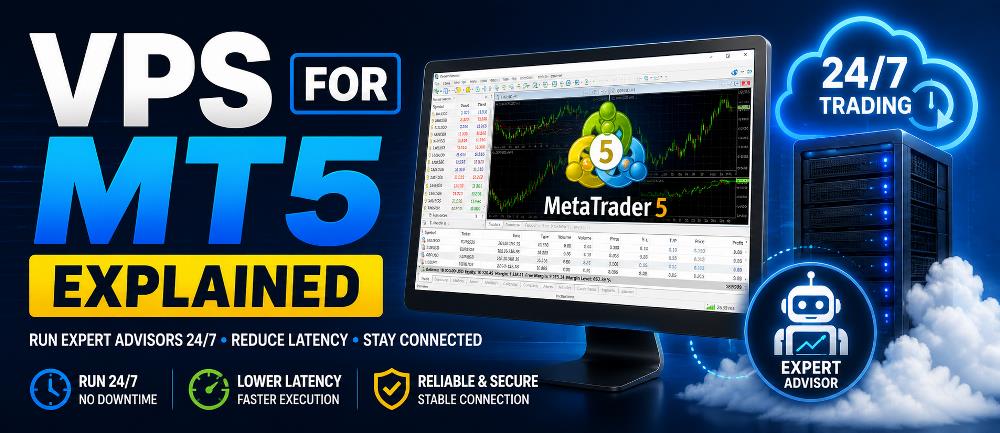
If you use an Expert Advisor in MetaTrader 5, you will eventually hear traders talking about using a VPS for MT5.
But what exactly is a VPS?
Do you really need one to run an Expert Advisor?
And why do automated traders often use a VPS instead of leaving MetaTrader 5 running on their home computer?
A Virtual Private Server, commonly called a VPS, provides a remote computing environment that can remain online continuously.
For an MT5 trader, this means MetaTrader 5 and your Expert Advisors can continue operating even when your personal computer is switched off.
A VPS can therefore become an important part of an automated trading setup that needs to monitor the market around the clock.
However, a VPS does not make an Expert Advisor profitable. It only helps provide the infrastructure needed for the EA to operate continuously.
In this guide, you will learn:
- What a VPS for MT5 is
- How an MT5 VPS works
- Why Expert Advisors commonly use VPS hosting
- How a VPS can reduce interruptions
- Why latency matters
- MetaTrader VPS vs a traditional Windows VPS
- Whether you actually need a VPS
- What to look for when choosing one
- Common MT5 VPS mistakes to avoid
What Is a VPS for MT5?
A VPS for MT5 is a remote server environment used to keep MetaTrader 5 running without depending on your personal computer.
Instead of operating MT5 only on your desktop or laptop, the trading platform runs on a remote server hosted in a data center.
The VPS can normally remain online:
24 hours a day, 7 days a week.
This means an Expert Advisor can continue:
- Receiving market prices
- Evaluating trading conditions
- Detecting entry signals
- Opening trades
- Managing existing positions
- Adjusting stop losses
- Managing take profits
- Applying trailing stops
even while your home computer is turned off.
If you are new to automated trading, start by reading our guide on What Is an Expert Advisor? so you understand how trading robots operate inside MetaTrader before moving them to a VPS.
Why Does an Expert Advisor Need MT5 to Stay Running?
An Expert Advisor is software that operates inside MetaTrader.
The EA cannot normally continue processing new market information after the MetaTrader terminal hosting it has been closed.
Imagine an EA programmed to:
- Monitor XAUUSD.
- Wait for a specific trading signal.
- Open a position.
- Apply a stop loss.
- Move the stop to break even.
- Activate a trailing stop.
- Close the trade when its exit conditions occur.
For the EA to perform these actions, MetaTrader must remain operational and connected to the broker.
If you have not installed an EA before, read our How to Install an Expert Advisor in MT5 guide before setting up a VPS.
What Happens If Your Computer Turns Off?
Suppose your Expert Advisor is running on your home computer.
At 11:00 PM, you shut the computer down.
At 2:00 AM, the EA’s entry conditions appear.
Because MetaTrader is no longer running, the EA cannot process the new signal through that terminal.
The trade may therefore never be opened.
Similar interruptions can occur if:
- Your internet disconnects
- Windows restarts
- Your laptop goes into sleep mode
- MT5 crashes
- Your router fails
- Your computer freezes
- A power outage occurs
A VPS reduces your dependence on these local conditions.
Does Closing MT5 Cancel Existing Trades?
No.
Closing MetaTrader does not normally mean that existing positions suddenly disappear.
Orders and positions already held by the broker remain on the trading account.
For example, a stop loss or take profit that has already been sent to and accepted by the broker may continue to exist on the broker’s trading server.
However, there is an important distinction.
If the EA itself needs to perform another action, such as:
- Moving the stop loss
- Activating break even
- Calculating a trailing stop
- Opening another position
- Closing a basket
- Reacting to an indicator signal
the EA must still be running to make that decision.
This is one of the main reasons VPS hosting is useful for automated trading.
How Does an MT5 VPS Work?
With a normal home setup, your connection may look like this:
Home Computer → Internet → Broker Server
When using a VPS, MetaTrader operates remotely:
VPS → Broker Server
You connect to the VPS whenever you need to configure or monitor the trading platform.
For a traditional Windows VPS, the process might look like this:
- Connect to the remote VPS.
- Install MetaTrader 5.
- Log into your trading account.
- Install your Expert Advisor.
- Open the correct chart.
- Configure the EA.
- Enable Algo Trading.
- Confirm the EA is operating.
- Disconnect from the VPS.
The VPS itself continues running after you disconnect.
Your personal computer therefore does not need to remain switched on.
Why Use a VPS for MT5?
There are several important reasons automated traders use VPS hosting.
1. Run Expert Advisors 24/7
Continuous operation is the primary reason.
Many automated systems need to monitor market conditions throughout the trading week.
Keeping your home computer switched on continuously may be inconvenient and exposes the EA to local power, internet, hardware and operating-system interruptions.
MetaTrader’s official Virtual Hosting service is specifically designed to keep trading robots and Signal subscriptions operating around the clock.
2. Reduce Dependence on Your Home Internet
Your Expert Advisor depends on the connection between MetaTrader and your broker.
A household internet connection may experience:
- Wi-Fi interruptions
- ISP outages
- Router problems
- Network congestion
- High latency
- Maintenance
- Temporary disconnections
A properly hosted VPS provides a dedicated server connection rather than relying on your home network.
This does not mean a VPS can never experience downtime.
However, it eliminates many of the problems associated with operating a trading robot from a normal household computer.
3. Reduce Power-Related Interruptions
If your home loses electricity, your:
- Computer
- Router
- Modem
- Local network
may all stop operating.
A data-center VPS normally operates using infrastructure designed for continuous server operation.
For a trading system that must remain online throughout the trading week, this can be a significant advantage.
4. Potentially Reduce Trading Latency
Another major benefit of a VPS is potentially lower latency between MetaTrader and your broker’s trading server.
Latency refers to the time required for data to travel between systems.
It is usually measured in milliseconds.
For example:
Home PC → Broker = 150 ms
while:
VPS → Broker = 5 ms
The second connection can communicate with the broker considerably faster.
MetaTrader’s own Virtual Hosting system automatically attempts to select a hosting server with a low network delay to your broker. You can review MetaTrader’s official explanation of virtual server selection and latency.
Why Does Latency Matter in Forex Trading?
When an EA decides to open a trade, the order must travel from MetaTrader to your broker’s trading infrastructure.
The longer the communication delay, the more opportunity there is for the market price to change before the order reaches the broker.
Latency can therefore matter particularly during:
- Fast markets
- News events
- Scalping
- High volatility
- Short-term automated trading
- Strategies using small targets
Lower latency can help improve communication speed.
But it is important to understand what lower latency cannot do.
Does Lower Latency Guarantee Better Trading Results?
No.
Lower latency does not guarantee:
- Profit
- Zero slippage
- Better entries
- No rejected orders
- No spread widening
- Successful scalping
Trade execution also depends on:
- Broker infrastructure
- Liquidity
- Market volatility
- Spread
- Slippage
- Available prices
- Order size
- Trading instrument
- Execution model
A VPS should therefore be considered trading infrastructure, not a profitability system.
VPS for Scalping EAs
Latency may become more important for Expert Advisors that:
- Trade frequently
- Use short timeframes
- Target relatively small price movements
- React quickly to signals
- Open and close positions rapidly
A scalping EA may be more sensitive to network delays than a strategy holding positions for several days.
However, even extremely low latency cannot turn a poor trading strategy into a profitable one.
The EA still needs a genuine trading edge and appropriate risk management.
MetaTrader VPS vs Windows VPS
One of the most common sources of confusion is that MetaTrader VPS and a conventional Windows VPS are not exactly the same thing.
Both can be used for automated trading, but they operate differently.
MetaTrader Virtual Hosting
MetaTrader provides an integrated Virtual Hosting service designed specifically for:
- Expert Advisors
- Trading robots
- Indicators used by EAs
- MetaTrader Signal subscriptions
The hosting can be configured from within the MetaTrader environment.
MetaTrader selects a virtual server based on its connection to the broker’s server, helping minimize network latency.
Unlike a normal Windows VPS, however, MetaTrader’s Virtual Hosting environment does not give you a conventional Windows desktop.
Instead, your MetaTrader trading environment is migrated to the virtual platform.
Traditional Windows VPS
A conventional Windows VPS provides something much closer to having another Windows computer located in a data center.
You normally connect to it using Remote Desktop.
Inside the VPS you can install:
- MetaTrader 5
- MetaTrader 4
- Multiple MT5 installations
- Multiple MT4 installations
- Supporting applications
- Other permitted Windows software
You also have considerably greater control over the operating environment.
For traders operating multiple MetaTrader terminals, copying systems or external applications, a conventional Windows VPS may therefore provide greater flexibility.
How MetaTrader VPS Migration Works
MetaTrader’s integrated hosting uses a process called migration.
Before migration, you prepare your local MetaTrader environment.
This may include:
- Open charts
- Required symbols
- Expert Advisors
- Custom indicators
- EA input parameters
- Signal settings
- Email settings
- WebRequest permissions
The environment is then synchronized to the virtual platform.
According to MetaTrader’s official VPS migration documentation, synchronization works in one direction:
Local MetaTrader → Virtual Platform
Changes on the virtual environment are not automatically synchronized back to your local platform.
Whenever you change your EA setup locally, you may therefore need to perform another migration.
Important MetaTrader VPS Limitation: DLL Calls
One particularly important limitation of MetaTrader’s integrated Virtual Hosting environment is its restriction on DLL calls.
MetaTrader states in its virtual hosting migration documentation that DLL calls are prohibited on the virtual platform.
This matters because some Expert Advisors rely on external DLL files.
If your EA requires DLL functionality, verify compatibility before choosing MetaTrader’s built-in hosting.
A full Windows VPS may be more appropriate for software requiring external Windows components.
MetaTrader VPS and Automated Trading
Another useful feature of MetaTrader Virtual Hosting is how it handles automated trading during migration.
According to MetaTrader’s official migration guidance, automated trading is permitted in the virtual environment after migration.
The system is also designed to help prevent the migrated trading environment from being duplicated unintentionally on the local terminal.
Nevertheless, traders should still verify their own setup carefully.
Duplicate Expert Advisors can create serious problems.
Avoid Running the Same EA Twice
One of the most important VPS mistakes to avoid is operating the same trading EA on the same account from two different terminals unintentionally.
For example:
Home Computer
XAUUSD M5
Gold EA running
VPS
XAUUSD M5
Same Gold EA running
Both Expert Advisors could potentially respond to the same signal.
Depending on the programming of the EA, this could result in:
- Duplicate trades
- Double position size
- Conflicting stop-loss changes
- Incorrect trade management
- Unexpected basket calculations
- Excessive account exposure
Always confirm which terminal is actively controlling your strategy.
Do You Need a VPS for Manual Trading?
Usually not.
If you open and manage all trades manually while sitting at your computer, there is normally no need to keep MetaTrader operating continuously.
A VPS becomes much more useful when software needs to remain active without your direct supervision.
Examples include:
- Expert Advisors
- Trade-management EAs
- Automated trading strategies
- Signal-copying systems
- Trade copiers
- Continuous monitoring software
Do You Need a VPS for an Expert Advisor?
Not always.
An Expert Advisor can operate perfectly well from your personal computer while:
- MetaTrader is open
- Your computer is running
- Your internet connection is active
- The EA has permission to trade
A VPS becomes particularly useful when the EA needs to operate continuously.
Consider using one if:
- Your EA can trade at any time
- You cannot keep your PC running continuously
- Your home internet is unreliable
- Your EA manages trades automatically
- Your strategy depends on continuous monitoring
- Your computer frequently restarts or sleeps
- Execution latency is important
- You operate several automated systems
Before moving an EA to a VPS, it is also sensible to forward test the Expert Advisor under current market conditions.
When You Probably Do Not Need a VPS
You may not need one if:
- You only trade manually
- You operate MT5 only while actively monitoring it
- You use the EA occasionally
- You are only developing the strategy
- You are performing backtests
- Continuous operation is unnecessary
For example, you do not normally need a VPS simply to perform a historical backtest.
MetaTrader 5 already includes its Strategy Tester, which is designed to evaluate Expert Advisors against historical market data.
If you have not evaluated your EA historically yet, read our How to Backtest an Expert Advisor in MT5 guide before considering continuous deployment.
Test Your EA Before Moving It to a VPS
A VPS should not be the first environment in which you discover whether an Expert Advisor operates correctly.
A better workflow is:
- Install the EA.
- Understand its trading rules.
- Configure the inputs correctly.
- Backtest the strategy.
- Review drawdown and other performance statistics.
- Forward test the EA.
- Confirm the EA operates correctly.
- Move the validated configuration to a VPS.
- Continue monitoring the system.
Historical testing cannot guarantee future profitability.
However, it can help identify obvious problems before the EA is allowed to operate continuously.
Make Sure Algo Trading Is Enabled
An Expert Advisor can be installed correctly and still be unable to execute trades if the appropriate trading permissions are disabled.
Before assuming your VPS is faulty, verify that automated trading is configured correctly.
Our guide on How to Enable Algo Trading in MT5 explains the settings that control whether an Expert Advisor can execute trades.
This is particularly important after:
- Installing MT5
- Migrating to another machine
- Setting up a VPS
- Changing terminal settings
- Reinstalling an EA
What If the EA Is Running but Not Opening Trades?
A VPS does not force an Expert Advisor to trade.
An EA may remain inactive because its programmed entry conditions have not occurred.
Other possible reasons include:
- Algo Trading is disabled
- Market is closed
- Incorrect symbol
- Incorrect timeframe
- Spread is too high
- Maximum trades reached
- Insufficient margin
- Trading-session filter
- Invalid lot size
- Missing indicator
- Licensing problem
- Broker symbol suffix
- Incorrect EA settings
If the platform is connected but your EA is still inactive, use our troubleshooting guide Why an EA Is Not Opening Trades before changing the VPS configuration.
What Should You Look for in an MT5 VPS?
If you decide to use a conventional VPS provider, do not choose solely on price.
Several factors matter.
Server Location
The VPS should ideally have a good network connection to your broker’s trading server.
It does not necessarily need to be located close to you.
For automated trading, the important connection is usually:
VPS ↔ Broker Server
rather than:
You ↔ VPS
For example, you could be located in Asia while your broker’s trading infrastructure is in London.
A London VPS may provide a better broker connection even though it is physically far from you.
Latency
Check the connection latency between MetaTrader and the broker.
Generally:
Lower latency = faster communication
This can become particularly useful for execution-sensitive automated trading systems.
Reliability
An inexpensive VPS is not useful if it repeatedly:
- Disconnects
- Freezes
- Crashes
- Restarts
- Loses network connectivity
Reliability should normally take priority over finding the absolute cheapest hosting option.
RAM
Memory requirements depend on how many MetaTrader terminals, charts, indicators and EAs you intend to operate.
Running one lightweight EA is very different from running:
- Four MT5 terminals
- Several accounts
- Twenty charts
- Multiple indicators
- Multiple Expert Advisors
Monitor actual RAM usage after deployment.
CPU Performance
Some Expert Advisors perform considerably more calculations than others.
CPU demand may increase with:
- Complex indicators
- Tick-by-tick calculations
- Multiple charts
- Multiple terminals
- Multiple EAs
- High-frequency market updates
Avoid operating the server continuously at its resource limits.
Storage
MetaTrader stores:
- Historical data
- EA files
- Indicators
- Logs
- Templates
- Profiles
- Terminal files
One terminal normally does not require enormous storage, but requirements increase when you operate multiple installations.
Windows Compatibility
If you intend to use a normal Windows VPS, confirm that the operating system supports the applications you intend to install.
This is particularly important when an EA depends on external applications or additional software.
How Much RAM Does MT5 Need on a VPS?
There is no single correct answer.
Resource requirements depend on the complete configuration.
For example:
Setup A
- One MT5 terminal
- One chart
- One lightweight EA
will normally require considerably fewer resources than:
Setup B
- Five MT5 terminals
- Thirty charts
- Several custom indicators
- Multiple complex EAs
Do not select a server specification based only on generic recommendations.
Monitor actual:
- RAM consumption
- CPU utilization
- Disk space
- Terminal responsiveness
and leave sufficient spare capacity.
How to Run MT5 on a Windows VPS
The general process is straightforward.
Step 1: Rent the VPS
Choose an appropriate provider and server location.
Step 2: Connect to the VPS
A Windows VPS commonly provides Remote Desktop credentials.
Step 3: Install MetaTrader 5
Install your broker’s MT5 terminal.
Step 4: Log Into Your Trading Account
Verify:
- Account number
- Broker
- Trading server
- Demo or live account
Step 5: Install Your Expert Advisor
Place the EA in the correct MT5 Data Folder.
If you need help with this step, follow our complete How to Install an Expert Advisor in MT5 tutorial.
Step 6: Open the Correct Chart
Select the correct:
- Symbol
- Timeframe
Step 7: Configure the EA
Verify:
- Lot size
- Risk settings
- Stop loss
- Take profit
- Trading schedule
- Maximum positions
- Other strategy inputs
Step 8: Enable Algo Trading
Confirm that MetaTrader and the individual EA have the required trading permissions.
If the EA will not trade, review our How to Enable Algo Trading in MT5 guide.
Step 9: Check the Experts and Journal Logs
Look for:
- Initialization messages
- Errors
- Connection problems
- Trading restrictions
- EA status
- Order activity
Step 10: Disconnect From Remote Desktop
Do not shut down the server.
Simply disconnect your Remote Desktop session.
MetaTrader should continue running on the VPS.
Can You Turn Off Your Computer After Setting Up the VPS?
Yes.
This is one of the principal benefits of using VPS hosting.
Once MT5 and the Expert Advisor are correctly running on the remote server, your local computer can be switched off.
The VPS continues operating independently.
However, be careful with the difference between:
Disconnect Remote Desktop
and:
Shut Down Windows
If you shut down the VPS itself, MT5 will stop.
Can You Run Multiple MT5 Accounts on One VPS?
Yes, a conventional Windows VPS can normally run multiple MetaTrader installations if sufficient resources are available.
This can be useful when operating:
- Multiple brokers
- Multiple trading accounts
- Different EAs
- Different strategies
However, the setup becomes more complicated.
You must carefully manage:
- Terminal installation folders
- Trading accounts
- EA settings
- Magic Numbers
- CPU resources
- RAM
- Updates
- Overall risk exposure
For beginners, starting with a simpler configuration makes troubleshooting considerably easier.
Does a VPS Improve EA Profitability?
No.
This is one of the most important points in this guide.
A VPS cannot improve the fundamental trading logic of an Expert Advisor.
Imagine an EA that:
- Enters poor trades
- Uses excessive leverage
- Has weak risk management
- Suffers large drawdowns
- Has no genuine statistical edge
Moving that EA to a faster VPS does not solve those problems.
A VPS can improve the operating environment by providing:
- Continuous availability
- Reduced dependence on a home computer
- Stable connectivity
- Potentially lower latency
- A dedicated trading environment
But trading performance still depends on:
- Strategy quality
- Risk management
- Market conditions
- Broker execution
- Spread
- Slippage
- EA programming
- Position sizing
Think of the VPS as infrastructure.
It helps the system operate.
It does not determine whether the strategy is profitable.
Common MT5 VPS Mistakes
Choosing the Cheapest VPS
Low price does not automatically mean good value.
Reliability, location and network performance can be more important.
Choosing a Server Close to Yourself
For an EA, connectivity to the broker is often more important than proximity to the trader.
Running Too Many Terminals
Every additional MetaTrader installation consumes resources.
Monitor your server.
Forgetting About Updates and Restarts
A server may occasionally require maintenance.
Always confirm that MetaTrader and your EAs return to normal operation afterward.
Using Different EA Settings
If you tested a specific configuration, accidentally changing those settings during VPS deployment destroys the consistency of your test.
Keep copies of important .set files and configuration records.
Running Duplicate Expert Advisors
Make sure the same EA is not accidentally controlling the same trading account from multiple machines.
Never Checking the VPS
A VPS reduces operational risk.
It does not eliminate monitoring.
Periodically check:
- MT5 connection
- Experts log
- Journal
- CPU usage
- RAM usage
- Disk space
- Open trades
- EA activity
MetaTrader VPS or Windows VPS: Which Should You Choose?
Neither option is automatically better.
The correct choice depends on what you need.
MetaTrader Virtual Hosting May Be Suitable If:
- You mainly run EAs
- You want simple MT5 integration
- Your EA is compatible with the virtual environment
- You do not require external Windows applications
- You want MetaTrader to select a low-latency hosting location
You can review the official MetaTrader Virtual Hosting documentation before deciding whether the integrated service matches your requirements.
Windows VPS May Be Better If:
- You want a complete Windows desktop
- You operate multiple MT4 or MT5 terminals
- You run multiple accounts
- You use external applications
- Your software requires DLL functionality
- You want greater control over the server
Choose based on your trading infrastructure rather than simply looking for the cheapest product labeled “Forex VPS.”
VPS for MT5 FAQ
What does VPS mean in Forex?
VPS stands for Virtual Private Server.
Forex traders commonly use VPS hosting to keep MetaTrader and automated trading software running continuously.
Can MT5 run 24/7 on a VPS?
Yes.
A correctly configured VPS can keep MetaTrader 5 and its Expert Advisors operating continuously while the VPS remains online.
Do I need a VPS for an MT5 Expert Advisor?
Not necessarily.
An EA can run from your personal computer.
A VPS becomes particularly useful when the strategy requires continuous operation or reliable connectivity.
Can I turn off my laptop after connecting MT5 to a VPS?
Yes.
Once MetaTrader is actually running on the VPS, your personal computer does not need to stay on.
Does a VPS prevent slippage?
No.
Slippage may still occur because of:
- Market volatility
- Liquidity
- Broker execution
- Price movement
- Order size
- Spread changes
Lower latency removes only one potential source of delay.
Is MetaTrader VPS the same as a Windows VPS?
No.
MetaTrader Virtual Hosting uses a specialized trading environment and migration system.
A conventional Windows VPS gives you a remote Windows operating system where you install MetaTrader yourself.
Can a VPS make an EA profitable?
No.
A VPS improves infrastructure.
It cannot create a profitable trading edge.
Do I need a VPS for backtesting?
Normally no.
Backtesting is performed using MetaTrader’s Strategy Tester and historical data.
A VPS is much more relevant when an EA needs to operate continuously under live or demo market conditions.
Should the VPS be near me or my broker?
For automated order execution, the important network connection is generally between the VPS and your broker’s trading server.
Therefore, a VPS with lower latency to your broker may be preferable even if it is physically far away from you.
Final Thoughts
A VPS for MT5 can be an important part of a reliable automated trading setup.
Its main purpose is simple:
Keep MetaTrader 5 and your Expert Advisors operating continuously without relying on your personal computer.
The major potential advantages include:
- 24/7 EA operation
- Reduced dependence on home internet
- Reduced dependence on home electricity
- Dedicated trading infrastructure
- Potentially lower broker latency
- Easier continuous automated trading
However, remember that a VPS is only infrastructure.
It cannot:
- Guarantee profits
- Fix a bad strategy
- Eliminate losses
- Eliminate slippage
- Replace risk management
Before deploying an Expert Advisor continuously, make sure you understand how it works, install it correctly, enable Algo Trading, backtest it, forward test it and verify its operation.
Once your Expert Advisor genuinely requires continuous market access, a properly configured VPS can become one of the most useful infrastructure components in your MetaTrader 5 trading setup.

1 Trackback / Pingback