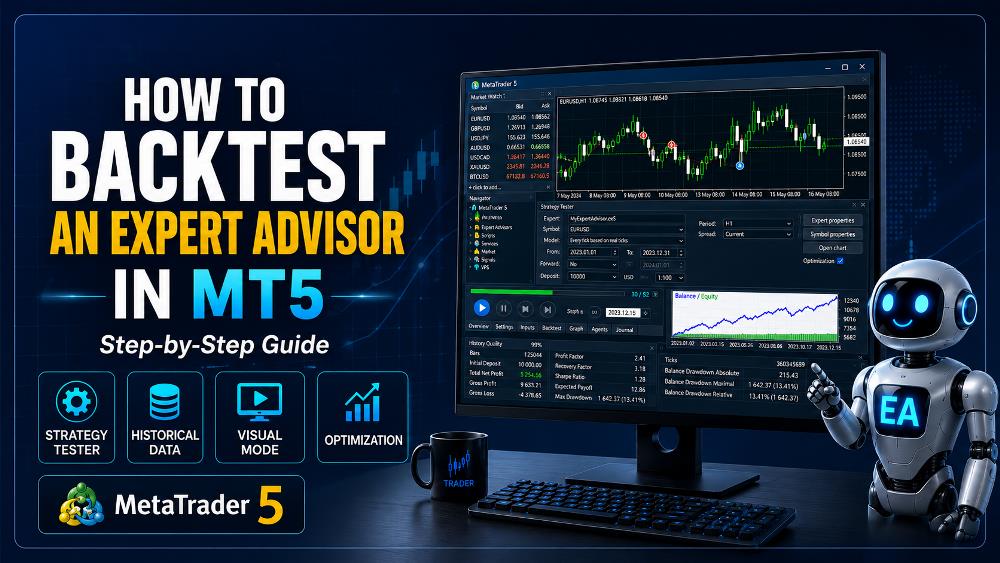
Before using an automated trading system with real money, one of the most important steps is learning how to backtest an Expert Advisor in MT5.
Backtesting allows you to run an Expert Advisor, or EA, against historical market data to see how the trading strategy would have behaved in the past.
MetaTrader 5 includes a built-in Strategy Tester specifically designed for testing and optimizing Expert Advisors. During a standard test, the EA runs once using fixed parameters on historical data. During optimization, the same strategy can be run repeatedly using different combinations of settings.
For beginners, this can provide valuable information before considering demo or live trading.
However, backtesting should not be treated as proof that a trading strategy will make money in the future.
In this guide, you will learn how to backtest an Expert Advisor in MetaTrader 5, how to configure the Strategy Tester, which testing mode to choose, what results to examine, and some common mistakes to avoid.
What Is Backtesting in MetaTrader 5?
Backtesting is the process of applying an automated trading strategy to historical market data.
Instead of waiting weeks or months to observe an Expert Advisor in real time, MetaTrader 5 can simulate how the EA would have responded to historical price movements.
For example, you could test a Gold trading EA on historical XAU/USD data covering several years.
During the test, MetaTrader 5 can simulate the Expert Advisor’s programmed actions, such as:
- Opening buy trades
- Opening sell trades
- Setting stop losses
- Setting take profits
- Applying trailing stops
- Managing open positions
- Closing trades
- Responding to indicator signals
The MetaTrader 5 Strategy Tester is designed specifically to test Expert Advisors before they are used in live trading.
If you are still learning what an EA is, read:
What Is an Expert Advisor in MetaTrader? A Beginner’s Guide
You may also want to read:
MetaTrader 4 vs MetaTrader 5 for Automated Trading: Which Is Better?
Why Should You Backtest an Expert Advisor?
A trading strategy may sound logical on paper but behave very differently when applied to actual market data.
Backtesting gives you an opportunity to evaluate how the strategy responded to different historical market conditions.
A backtest may help answer questions such as:
- Did the EA actually enter trades correctly?
- How many trades did it execute?
- What was its maximum drawdown?
- How often did it win or lose?
- Did the stop-loss logic work?
- Did the EA perform differently during volatile markets?
- Did performance change over different years?
- Were the results dependent on only a small number of trades?
The objective is not simply to find a backtest showing a large profit.
The more important objective is to understand how the trading system behaves.
What Is the MetaTrader 5 Strategy Tester?
The Strategy Tester is MetaTrader 5’s built-in environment for testing and optimizing automated trading systems.
MetaQuotes describes the Strategy Tester as a multi-currency, multi-threaded tool that can test and optimize Expert Advisors using historical data. It can also use local computing agents, remote agents, and the MQL5 Cloud Network for optimization.
The Strategy Tester can be used for:
- Single EA backtests
- Parameter optimization
- Multi-currency testing
- Visual strategy testing
- Historical performance analysis
- EA debugging and development
This makes it one of the most useful tools available to traders working with automated strategies.
How to Backtest an Expert Advisor in MT5: Step by Step
Now let’s go through the basic process.
Step 1: Install or Load Your Expert Advisor
Before you can perform a backtest, the Expert Advisor must be available inside MetaTrader 5.
Open MetaTrader 5 and locate the Navigator panel.
Under:
Expert Advisors
you should see the EA you want to test.
If you have installed a new EA and it does not appear, you may need to refresh the Navigator or restart MetaTrader 5.
An Expert Advisor can normally be launched on a regular chart by attaching it from the Navigator. MetaTrader’s official documentation describes attaching an EA by double-clicking it or dragging it onto a chart.
For backtesting, however, we will use the Strategy Tester instead of a live chart.
Step 2: Open the Strategy Tester
In MetaTrader 5, open the Strategy Tester.
A common way is:
View → Strategy Tester
You can also use the keyboard shortcut:
Ctrl + R
The Strategy Tester panel will open.
This is where you configure the historical test.
Step 3: Select the Expert Advisor
Inside the Strategy Tester, select the Expert Advisor you want to test.
Make sure you choose the correct EA, especially if you have several trading robots installed.
This matters because every Expert Advisor may have completely different:
- Entry rules
- Exit rules
- Risk settings
- Indicators
- Trading sessions
- Position-management logic
You should also confirm that the EA is designed for the instrument you intend to test.
Step 4: Select the Trading Symbol
Choose the financial instrument you want to backtest.
Examples include:
- EUR/USD
- GBP/USD
- USD/JPY
- XAU/USD
- BTC/USD
- Indices
- Other broker-supported instruments
The available symbols depend on your broker.
If you are testing a Forex EA, use the currency pair for which the strategy was designed.
If you are testing a Gold Expert Advisor, select the broker’s correct Gold symbol.
For example, your broker might use:
- XAUUSD
- XAUUSDm
- GOLD
- GOLD.pro
Symbol naming can vary between brokers.
This is important because an EA programmed specifically for one symbol format may behave differently on another.
Step 5: Choose the Timeframe
Select the timeframe on which the Expert Advisor is designed to operate.
Common timeframes include:
- M1 – 1 minute
- M5 – 5 minutes
- M15 – 15 minutes
- M30 – 30 minutes
- H1 – 1 hour
- H4 – 4 hours
- D1 – Daily
If an EA was designed to trade on M5, testing it on H1 may produce completely different results.
Always use the timeframe intended by the strategy unless you are specifically researching how it behaves on other timeframes.
Step 6: Select the Testing Period
Choose the historical dates you want to test.
For example:
From: January 1, 2023
To: December 31, 2025
The appropriate test period depends on the strategy.
A longer historical period generally gives you exposure to a wider range of market conditions.
You may want your test to include:
- Trending markets
- Sideways markets
- High volatility
- Low volatility
- Major economic events
- Different trading years
MetaTrader 5 synchronizes and loads historical data when preparing a Strategy Tester run.
Testing only a very short period can produce misleading conclusions.
Step 7: Choose the Testing Mode
This is one of the most important settings when learning how to backtest an Expert Advisor in MT5.
MetaTrader 5 supports different methods of generating price movements during a test.
The official MQL5 documentation describes three primary tick-generation modes for Strategy Tester simulations.
Depending on your MetaTrader version and setup, you may see options such as:
- Every tick based on real ticks
- Every tick
- 1 minute OHLC
- Open prices only
- Mathematical calculations
For most serious EA testing, the choice of model can significantly affect the result.
Every Tick Based on Real Ticks
When available, Every tick based on real ticks is usually the most detailed testing method for strategies that depend on intrabar price movement.
This is especially relevant for:
- Scalping EAs
- Tight stop losses
- Trailing stops
- Intrabar entries
- Strategies sensitive to precise price movement
The trade-off is that more detailed testing can take longer.
Every Tick
The Every tick method models tick movement using available historical data.
It is also useful when the EA’s decisions depend on price movements occurring inside individual candles.
1 Minute OHLC
This method uses the Open, High, Low, and Close values from M1 bars.
It can be faster than full tick simulation but provides less intrabar detail.
Open Prices Only
The Open prices only mode is much faster.
It can be appropriate for EAs that make decisions exclusively at the opening of a new candle and do not depend on price movements inside the candle.
However, it may not be suitable for systems relying on:
- Intrabar stops
- Precise trailing stops
- Tick-sensitive logic
- Scalping
- Intrabar indicators
The correct model should match how the EA actually works.
Step 8: Set the Initial Deposit and Leverage
Configure an account balance that represents the environment in which you might realistically operate the EA.
For example:
Initial Deposit: $10,000
You should also consider leverage.
Backtesting a strategy using unrealistic account conditions can make the results less meaningful.
Try to use settings that are reasonably similar to the intended trading account.
This is especially important for strategies using:
- Fixed lot sizes
- Percentage risk
- Margin-intensive positions
- Multiple simultaneous trades
- Grid systems
Step 9: Configure the Expert Advisor Inputs
Most Expert Advisors have adjustable input parameters.
These might include:
- Lot size
- Stop loss
- Take profit
- Trailing-stop start
- Trailing-stop distance
- Maximum trades
- Trading session
- Indicator periods
- Risk percentage
- Maximum spread
- Entry filters
When first learning how to backtest an Expert Advisor in MT5, start with the EA’s intended default or baseline settings.
Keep a record of every setting used.
Otherwise, you may later find a good test result but not remember which parameters produced it.
Step 10: Run the Backtest
Once the settings are ready, click Start.
MetaTrader 5 will begin processing the historical data and simulating the Expert Advisor.
The time required depends on:
- Historical period
- Testing model
- Computer performance
- EA complexity
- Number of trades
- Number of symbols
- Historical-data availability
A simple test might finish quickly.
A complex multi-year tick-level test can take considerably longer.
Step 11: Review the Backtest Results
Once the test is complete, do not look only at the final profit.
This is one of the most important principles of backtesting.
A profitable result can still contain excessive risk.
The Strategy Tester report provides multiple performance statistics that can help evaluate a trading system. MetaTrader’s official testing documentation includes detailed performance reporting, including metrics such as drawdown and Sharpe Ratio.
Important figures to examine include:
- Net profit
- Gross profit
- Gross loss
- Number of trades
- Win rate
- Maximum drawdown
- Profit factor
- Recovery factor
- Expected payoff
- Sharpe Ratio
Let’s look at several of these more closely.
Net Profit
Net profit shows the overall result of the backtest.
For example:
Initial Deposit: $10,000
Final Balance: $12,000
Net profit would be:
$2,000
Profit is important, but it should never be evaluated alone.
Maximum Drawdown
Drawdown measures how much the account declines from a previous peak.
This is one of the most important risk statistics in automated trading.
Imagine two systems:
System A
Profit: 30%
Maximum Drawdown: 10%
System B
Profit: 40%
Maximum Drawdown: 70%
System B produced greater historical profit, but it also exposed the account to significantly greater historical risk.
Many beginners focus on profit while ignoring drawdown.
That can be a serious mistake.
Profit Factor
Profit Factor compares gross profits with gross losses.
In simplified terms:
Profit Factor = Gross Profit ÷ Gross Loss
A Profit Factor above 1 means the test generated more gross profit than gross loss.
However, this metric should still be interpreted together with:
- Number of trades
- Drawdown
- Testing period
- Market conditions
- Strategy type
A very high Profit Factor based on only a small number of trades may not be particularly meaningful.
Number of Trades
Sample size matters.
Suppose an EA produces:
80% profit with only 8 trades.
That result may be much less informative than a strategy tested across hundreds or thousands of trades.
A larger number of trades can provide more information about how the strategy behaves under different conditions.
However, there is no universal minimum number of trades that automatically makes a backtest reliable.
The correct sample size depends on the trading strategy and frequency.
Win Rate
Win rate is the percentage of trades that were profitable.
A high win rate may look attractive, but it does not automatically mean a strategy is good.
For example:
- 90% win rate
- Small average win
- Very large occasional loss
could still result in poor long-term performance.
Conversely, some trend-following systems may have relatively low win rates but larger average winning trades.
Always consider:
Win rate + average win + average loss + drawdown
rather than win rate alone.
Expected Payoff
Expected payoff gives an indication of the average result per trade over the test.
This can help you understand whether the system’s average trade result is large enough to potentially absorb:
- Spread
- Commission
- Slippage
- Execution differences
A strategy producing extremely small average returns may be particularly sensitive to real-world trading costs.
Sharpe Ratio
MetaTrader 5’s testing report can also display a Sharpe Ratio, a risk-adjusted performance metric. The Strategy Tester assumes a zero risk-free rate when calculating this statistic.
A higher Sharpe Ratio generally indicates better historical return relative to variability.
However, as with any metric, it should not be used in isolation.
Step 12: Examine the Equity Curve
The equity curve shows how the account’s value changed throughout the backtest.
A generally stable curve can be more reassuring than one that depends on a few sudden profit spikes.
Look for:
- Long periods of stagnation
- Sudden deep drawdowns
- Extremely rapid growth
- Repeated large losses
- One-time profit spikes
A strategy that produced most of its historical profit from only one market period may not be robust.
Step 13: Use Visual Mode
MetaTrader 5 also provides Visual Mode.
Visual testing allows you to watch the Expert Advisor trade on a historical chart. MetaQuotes states that Visual Mode can display how an EA performs trading operations during a backtest, with trades shown on the instrument’s chart.
This is extremely useful when developing or checking an EA.
You can visually confirm:
- Where buy trades occur
- Where sell trades occur
- Stop-loss placement
- Take-profit placement
- Indicator behavior
- Entry timing
- Exit timing
- Trailing-stop behavior
Visual testing is particularly valuable when the numerical result looks correct but you want to verify that the EA is actually following the intended strategy.
Why Visual Backtesting Is Important
Suppose an EA reports a profitable backtest.
The numbers may appear good.
But when you watch the visual test, you discover that:
- The EA enters one candle too early
- A filter is not working
- The stop loss is placed incorrectly
- Multiple trades open unexpectedly
- A trailing stop activates at the wrong level
Without Visual Mode, these logic errors can be more difficult to identify.
This is why backtesting is not only about performance.
It is also a functional test of the trading robot.
How Much Historical Data Should You Use?
There is no universal answer.
The appropriate testing period depends on:
- Trading frequency
- Strategy type
- Instrument
- Timeframe
- Market conditions
A scalping strategy may generate thousands of trades within one year.
A long-term trend strategy may generate far fewer trades over several years.
Rather than choosing a test period solely by calendar length, try to include enough historical data to expose the strategy to different market environments.
For many strategies, testing several years can provide more information than testing only a few months.
Test Different Market Conditions
A robust Expert Advisor should ideally be examined across different market environments.
These may include:
- Strong trends
- Sideways markets
- High volatility
- Low volatility
- Economic crises
- Quiet trading periods
- Major news events
Suppose an EA performs extremely well during a strong Gold trend but loses consistently during consolidation.
That does not necessarily mean the EA is unusable.
It tells you something important about when the strategy works and when it struggles.
Backtest Different Years Separately
Instead of testing only one long period, consider testing individual years.
For example:
- 2021
- 2022
- 2023
- 2024
- 2025
This can help reveal whether the strategy performed consistently or whether most of the profit came from one unusual period.
If an EA is profitable over five years but loses heavily in four of them and makes an enormous profit in only one year, the headline five-year profit can be misleading.
What Is Optimization in MetaTrader 5?
Once you have a baseline backtest, you may want to test different input settings.
This process is called optimization.
During a normal backtest, the EA runs once using one set of parameters.
During optimization, MetaTrader 5 runs the strategy repeatedly using different parameter combinations.
For example, suppose your EA has:
Trailing Stop Start: 100–300 points
Trailing Distance: 30–100 points
MetaTrader can test multiple combinations automatically.
Complete vs Genetic Optimization
MetaTrader 5 supports different optimization approaches.
The official MetaTrader documentation describes a Slow Complete Algorithm, which tests all possible selected parameter combinations.
Complete optimization can be thorough, but when many parameters are selected the number of combinations can become very large.
For complex optimization tasks, faster algorithmic methods may be used to search the parameter space more efficiently.
The important point is not to optimize everything simply because the platform allows it.
Too many adjustable variables can dramatically increase the risk of overfitting.
What Is Overfitting?
Overfitting occurs when a trading strategy becomes too closely adapted to historical data.
Imagine trying thousands of parameter combinations until you find one that produces an almost perfect historical equity curve.
It may look impressive.
But instead of discovering a genuinely robust strategy, you may simply have found settings that fit historical noise.
When new market conditions arrive, performance may deteriorate dramatically.
This is sometimes called curve fitting.
How to Reduce Overfitting
Several practices can help reduce the risk:
- Avoid optimizing too many parameters
- Use logical parameter ranges
- Test across different time periods
- Test across different market conditions
- Use out-of-sample data
- Perform forward testing
- Avoid selecting parameters solely because they produced the highest profit
You are looking for robust behavior, not the most beautiful historical chart.
What Is Forward Optimization?
MetaTrader 5 supports forward-testing functionality as part of its optimization workflow.
The general concept is to divide historical data into separate portions.
One portion is used for optimization.
Another portion is reserved to see how the selected parameters perform on data that was not used to optimize them.
This can provide a more demanding test of the strategy.
If an EA performs extremely well during optimization but poorly during the separate forward period, the parameters may be overfitted.
Backtesting vs Forward Testing
These two terms are related but different.
Backtesting
Uses historical data.
Advantages:
- Fast
- Can test years of data
- Easy to repeat
- Useful for development
Limitations:
- Based on past conditions
- Can be over-optimized
- Cannot perfectly reproduce live execution
Forward Testing
Uses current market conditions.
Advantages:
- Tests live price behavior
- Includes real-time spread conditions
- Reveals operational problems
- Tests EA stability over time
Limitations:
- Requires time
- Future market conditions are unknown
- A short forward test may still provide limited information
A serious EA-development process should usually include both.
Why Backtests and Live Results Can Be Different
Even an accurate backtest cannot perfectly guarantee future live performance.
Differences can arise from:
- Spread
- Commission
- Slippage
- Execution latency
- Broker liquidity
- Historical-data quality
- Market gaps
- VPS latency
- Broker symbol specifications
- Changing market conditions
This is why an attractive historical backtest should be considered evidence for further testing, not proof of future profitability.
Spread and Commission Matter
Trading costs can significantly affect an EA.
This is especially important for:
- Scalping strategies
- High-frequency strategies
- Small-profit targets
- Large numbers of trades
Suppose the average trade earns only a very small amount.
A change in spread or commission may dramatically affect the strategy.
Always evaluate backtests using trading conditions that are as realistic as possible.
Be Careful With Unrealistic Lot Sizes
Another common mistake is using excessive position sizes in a backtest.
A strategy might turn:
$10,000 into $100,000
but only because it used extremely aggressive risk.
Instead of looking only at final profit, check:
- Maximum drawdown
- Margin usage
- Lot size
- Consecutive losses
- Risk per position
A backtest with extraordinary returns and extreme drawdown should be treated very cautiously.
Common Backtesting Mistakes Beginners Make
Testing Only One Short Period
A profitable three-month backtest tells you very little about how the system might behave across different conditions.
Choosing the Best-Looking Parameters
Testing hundreds of combinations and selecting only the most profitable result can lead directly to overfitting.
Ignoring Drawdown
A strategy that made 200% but suffered 90% historical drawdown is very different from one that earned less with controlled risk.
Ignoring Trading Costs
Spreads and commissions can turn a marginal strategy into an unprofitable one.
Using the Wrong Testing Model
A scalping EA tested with an overly simplified pricing model may produce unrealistic results.
Testing the Wrong Timeframe
If an EA is designed for M5, testing it on H1 changes the underlying strategy.
Assuming Backtesting Guarantees Future Profit
This is perhaps the biggest mistake.
Historical performance does not guarantee future results.
A Simple Backtesting Workflow for Beginners
If you are learning how to backtest an Expert Advisor in MT5, a practical workflow is:
- Install the EA.
- Select the correct symbol and timeframe.
- Use realistic account settings.
- Run a baseline historical test.
- Review profit and drawdown.
- Check the number of trades.
- Examine the equity curve.
- Run Visual Mode.
- Test different historical periods.
- Test different market conditions.
- Optimize only logical parameters.
- Perform out-of-sample or forward testing.
- Run the EA on a demo account.
- Evaluate performance again before considering real money.
This process will not guarantee success.
But it provides considerably more information than simply installing an EA and immediately running it live.
What Is a Good Backtest Result?
There is no universal set of numbers that defines a good Expert Advisor.
Different strategies have different characteristics.
Instead of looking for one perfect metric, evaluate the entire system.
Consider:
- Is the strategy profitable across different periods?
- Is drawdown acceptable?
- Is there a reasonable number of trades?
- Does performance depend on one exceptional period?
- Is the equity curve reasonably stable?
- Are results still acceptable after realistic costs?
- Does Visual Mode show the EA behaving correctly?
- Does the strategy survive forward testing?
A strategy that looks slightly less profitable but behaves consistently may be more interesting than one producing spectacular but unstable results.
Can You Backtest Multiple Symbols in MT5?
Yes.
MetaTrader 5’s Strategy Tester supports multi-currency Expert Advisors. The tester can process symbols used by the trading strategy, allowing automated systems that reference multiple instruments to be tested.
This can be useful for EAs that:
- Trade several Forex pairs
- Compare multiple instruments
- Use another symbol as a market filter
- Manage multi-symbol portfolios
This is one of the areas where MetaTrader 5 provides a particularly strong environment for advanced algorithmic trading.
Can You Backtest Custom Indicators?
MetaTrader 5 also allows custom indicators to be examined in Visual Mode through the Strategy Tester.
This can be useful when developing an Expert Advisor based on custom indicators.
You can check whether:
- Signals appear correctly
- Indicator buffers behave as expected
- Signals repaint
- Entry timing matches the strategy rules
For EA development, this can be extremely valuable.
Frequently Asked Questions
What does backtesting an Expert Advisor mean?
Backtesting means running an EA on historical market data to see how the automated strategy would have behaved in the past.
How do I open Strategy Tester in MetaTrader 5?
You can normally open it from:
View → Strategy Tester
or use:
Ctrl + R
What is the best testing mode for MT5?
There is no universal best mode.
For strategies dependent on precise intrabar movement, detailed tick-based testing is usually more appropriate.
For strategies that act only once at the opening of a new candle, simpler testing modes may sometimes be sufficient.
How long should I backtest an EA?
The appropriate period depends on the strategy.
Try to use enough historical data to cover different market conditions and provide a meaningful number of trades.
Is backtesting accurate?
Backtesting can be very useful, but it is still a simulation of historical conditions.
Live results can differ because of spread, slippage, broker execution, latency, liquidity, and future market behavior.
Does a profitable backtest mean an EA is profitable?
No.
A profitable backtest shows how a strategy performed under the historical data and assumptions used in that test.
It does not guarantee future profitability.
Can I optimize an Expert Advisor in MT5?
Yes.
The MetaTrader 5 Strategy Tester can run multiple tests using different parameter combinations to optimize an EA.
Can MetaTrader 5 test multiple currency pairs?
Yes.
The Strategy Tester supports multi-currency testing for Expert Advisors designed to use multiple instruments.
Should I demo test after backtesting?
Yes.
Forward testing on a demo account provides additional information about how an EA behaves under current market and broker conditions.
Final Thoughts
Learning how to backtest an Expert Advisor in MT5 is one of the most important skills for anyone interested in automated trading.
MetaTrader 5 provides a powerful Strategy Tester capable of historical testing, Visual Mode, parameter optimization, multi-currency testing, and detailed performance analysis.
But the purpose of backtesting is not simply to produce the highest possible historical profit.
A useful backtest should help you understand:
- How the EA enters trades
- How it manages risk
- How much drawdown it experiences
- How it behaves under different market conditions
- Whether the strategy depends on specific historical periods
- Whether the trading logic works as intended
Always remember that historical results cannot guarantee future performance.
Backtesting should therefore be one stage in a broader process involving strategy development, risk analysis, out-of-sample testing, forward testing, and careful monitoring.
The goal is not to create a perfect historical result.
The goal is to determine whether your automated trading strategy appears logical, consistent, and robust enough to justify further testing.


3 Trackbacks / Pingbacks