Expert Advisors can automate many parts of Forex trading.
They can monitor markets, identify trading conditions, open positions, manage stop losses, trail profits, and close trades according to predefined rules.
But automation does not eliminate mistakes.
In fact, many problems associated with automated trading come not from the Expert Advisor itself, but from how the trader installs, configures, tests, manages, and deploys it.
A well-designed EA can still perform poorly if it is:
- Used with excessive lot sizes
- Attached to the wrong chart
- Configured incorrectly
- Tested using unrealistic assumptions
- Over-optimized
- Interrupted while trading
- Run on an unreliable computer or VPS
- Used under market conditions it was never designed for
Understanding the most common Forex EA mistakes can help traders evaluate automated systems more systematically.
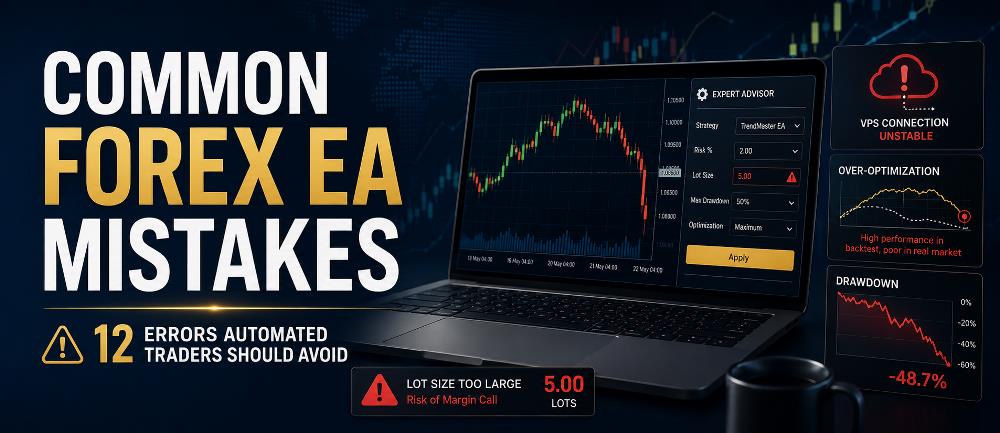
In this guide, we will examine 12 common mistakes traders make when using Expert Advisors and explain how to avoid them.
What Is a Forex Expert Advisor?
A Forex Expert Advisor, usually called an EA, is a software program designed to operate inside trading platforms such as MetaTrader 4 or MetaTrader 5.
Depending on its programming, an EA may:
- Analyze price data
- Calculate technical indicators
- Detect trading signals
- Open BUY or SELL positions
- Apply stop losses
- Set take profits
- Move trades to break even
- Use trailing stops
- Manage multiple positions
- Close trades automatically
Automation can reduce the need to manually watch charts continuously.
However, an EA only follows its programming and configuration.
It does not automatically know whether your account size, lot size, broker conditions, risk tolerance, or deployment environment are appropriate.
That responsibility still belongs to the trader.
1. Using an EA Without Proper Backtesting
One of the biggest mistakes is installing an Expert Advisor and immediately running it on a live account.
Before deploying an automated trading strategy, you should understand how it behaved historically.
MetaTrader 5 includes a built-in Strategy Tester specifically for testing Expert Advisors against historical price data.
According to the official MetaTrader 5 Strategy Tester documentation, traders can test an EA using historical quotes and analyze how the strategy would have behaved under those conditions.
Backtesting can help reveal:
- Maximum historical drawdown
- Number of trades
- Winning and losing trades
- Average profit
- Average loss
- Consecutive losses
- Trade frequency
- Profit factor
- Strategy behavior during different market conditions
If you are using MT5, read our complete guide:
How to Backtest an Expert Advisor in MT5
However, remember that a profitable historical test does not guarantee future profitability.
Backtesting is a validation tool, not a prediction machine.
2. Using Excessive Lot Sizes
A profitable EA can still destroy an account if the position size is too large.
Imagine an EA with a reasonable trading strategy but an aggressive lot-size setting.
The strategy might normally survive a sequence of:
5, 7 or even 10 losing trades.
But if the position size is too large, the account may experience an unacceptable drawdown before the strategy has enough time to recover.
This is why lot size should not be selected simply according to how much profit you want to make.
Risk should come first.
For example, instead of thinking:
“I want this EA to make $100 per day.”
a better question is:
“How much account equity am I prepared to lose if the EA experiences its expected losing sequence?”
Position sizing should consider:
- Account balance
- Account equity
- Stop-loss distance
- Maximum open trades
- Strategy drawdown
- Instrument volatility
- Correlated positions
- Broker contract specifications
If you need a foundation in position sizing, read:
Increasing the lot size increases both profit potential and loss exposure.
A strong EA cannot compensate for uncontrolled position sizing.
3. Changing EA Settings Without Understanding Them
Most Expert Advisors contain configurable input parameters.
These might include:
- Lot size
- Stop loss
- Take profit
- Trailing stop
- Break-even distance
- Maximum open trades
- Trading hours
- Indicator periods
- Entry filters
- Maximum spread
- Risk percentage
- Grid distance
- Basket profit
- Magic number
Changing these settings can completely alter the behavior of the trading system.
Suppose an EA was originally tested with:
Maximum open trades: 3
Changing that to:
Maximum open trades: 10
may significantly increase exposure.
Likewise, reducing a grid distance or increasing position size can transform a relatively conservative configuration into a much more aggressive strategy.
Before changing an input, understand exactly what it controls.
If possible, save your tested configurations using MetaTrader .set files.
That allows you to reproduce the same settings during future tests or VPS deployment.
4. Over-Optimizing the EA
Optimization is one of the most powerful features of automated trading.
It is also one of the easiest to misuse.
MetaTrader 5 can run an Expert Advisor repeatedly using different combinations of input parameters.
This allows traders to search for configurations that performed well historically.
MetaTrader’s official Strategy Optimization documentation explains how multiple combinations of EA parameters can be tested.
The problem occurs when a trader selects parameters simply because they produced the most attractive historical equity curve.
For example, suppose you test:
- 20 stop-loss settings
- 20 take-profit settings
- 10 trailing-stop settings
- 10 indicator settings
You have potentially created thousands of parameter combinations.
Eventually, one combination may look extraordinary.
But that does not necessarily mean you discovered an extraordinary strategy.
You may simply have discovered the combination that happened to fit historical noise particularly well.
This is known as overfitting or over-optimization.
MetaTrader includes forward testing specifically to help traders evaluate whether optimized settings remain effective outside the historical sample used during optimization.
The official Strategy Tester documentation notes that forward testing can help identify parameter fitting.
A better validation process may include:
- Backtesting
- Optimization
- Out-of-sample testing
- Forward testing
- Demo trading
- Small-scale live evaluation
Optimization should search for robustness, not merely the highest historical profit.
5. Ignoring Maximum Drawdown
Many traders look at only one number after testing an EA:
Net Profit.
That is dangerous.
Suppose two automated strategies both generate a historical profit of $10,000.
EA A
Initial balance: $10,000
Profit: $10,000
Maximum drawdown: 15%
EA B
Initial balance: $10,000
Profit: $10,000
Maximum drawdown: 80%
The final profit is identical.
The risk taken to generate that profit is completely different.
Maximum drawdown gives you an indication of how far the strategy’s equity declined from a previous peak during the test.
Large drawdown can indicate:
- Excessive position size
- Long losing sequences
- Poor risk controls
- Martingale behavior
- Grid accumulation
- Excessive simultaneous positions
- Strategy instability
Risk evaluation therefore requires looking beyond final profit.
For traders working with volatile instruments such as gold, our XAUUSD Risk Management Guide explains why exposure and drawdown need to be controlled before focusing on potential returns.
6. Assuming a Profitable Backtest Guarantees Live Profit
This is one of the most important Forex EA mistakes to understand.
A backtest shows what an EA would have done using historical data under the assumptions used by the testing environment.
Live trading introduces additional variables.
These can include:
- Spread changes
- Slippage
- Commission
- Execution latency
- Broker liquidity
- Price gaps
- Requotes on some platforms
- Symbol specifications
- Different trading sessions
- Server interruptions
- Changing market conditions
An EA that performed exceptionally under historical conditions may perform differently under real-time execution.
This is particularly important for:
- Scalping EAs
- News-trading systems
- High-frequency systems
- Strategies with very small profit targets
- Systems sensitive to spread
That is why backtesting should normally be followed by forward testing.
Our guide on How to Forward Test an Expert Advisor explains how traders can evaluate an EA using incoming market prices before considering significant live exposure.
Think of testing as a sequence.
Backtest → Forward Test → Evaluate → Deploy Carefully
Not:
Good Backtest → Immediately Use Large Live Lot Size
7. Ignoring Spread, Commission and Slippage
Some automated systems operate with very small profit targets.
For those strategies, trading costs can determine whether the system is profitable at all.
Suppose an EA generates an average theoretical profit of only a few pips per trade.
If its historical testing assumes extremely favorable trading costs, the results may look attractive.
But under live conditions, profitability may be reduced by:
- Wider spreads
- Broker commission
- Slippage
- Execution delays
This is especially important during:
- Major economic announcements
- Market opening periods
- Rollover
- Low-liquidity sessions
- Sudden volatility
An EA should therefore be evaluated using trading conditions that are reasonably representative of the environment in which you plan to run it.
Do not assume the same EA will produce identical results with every broker.
8. Running the EA on the Wrong Symbol or Timeframe
Some Expert Advisors are specifically designed for certain instruments.
For example, an EA might be developed for:
EURUSD M15
or:
XAUUSD M5
Running that same strategy on:
GBPJPY H1
could produce completely different behavior.
Different instruments have different:
- Volatility
- Spread
- Pip value
- Contract size
- Trading hours
- Price behavior
- Margin requirements
Timeframe can also matter.
Some EAs calculate technical indicators using the chart period on which they are attached.
Changing from M5 to H1 may therefore change the entire strategy.
Always confirm:
- Correct symbol
- Correct timeframe
- Correct broker symbol suffix
- Correct EA version
- Correct input configuration
Our How to Install an Expert Advisor in MT5 guide explains the complete installation process and several configuration mistakes beginners frequently encounter.
9. Forgetting to Enable Automated Trading
Sometimes an EA appears to be installed correctly but does not open any positions.
The trader assumes:
“The EA is broken.”
But the real problem may simply be that automated trading is disabled.
MetaTrader 5 includes platform-level permissions controlling whether Expert Advisors can trade.
According to the official MetaTrader 5 Platform Settings documentation, disabling automated trading prevents Expert Advisors from executing trades even though they may still remain active for analytical purposes.
Therefore, after installing an EA, check:
- Algo Trading / AutoTrading is enabled
- EA trading permissions are enabled
- The EA is attached to the correct chart
- The account is connected
- The market is open
- The EA has initialized correctly
You should also inspect the:
Experts tab
and:
Journal tab
for error messages.
An EA that is not trading is not automatically malfunctioning.
Its entry conditions may simply not have occurred yet.
10. Running the EA From an Unreliable Computer
An automated trading system needs its trading platform to remain operational whenever the strategy is expected to monitor or manage the market.
If you run MetaTrader from a home computer, several things can interrupt the EA:
- Computer shutdown
- Windows restart
- Internet outage
- Power failure
- MetaTrader crash
- Automatic updates
- Accidental terminal closure
Imagine the EA has already opened a trade.
It may be programmed to:
- Wait for the position to reach a certain profit.
- Move the stop loss to break even.
- Activate a trailing stop.
- Close the trade when an exit signal occurs.
If the computer hosting the EA is switched off, the EA cannot normally continue making those decisions.
This is one reason automated traders frequently use a Virtual Private Server.
A VPS can provide a dedicated remote environment where MetaTrader remains operational independently of the trader’s personal computer.
Read:
VPS for MT5 Explained: Do You Need One for Expert Advisors?
However, a VPS does not make an EA profitable.
It only helps provide a more reliable environment in which the EA can operate.
11. Manually Interfering With Every Trade
One advantage of an Expert Advisor is consistency.
The EA follows programmed rules without becoming:
- Afraid
- Greedy
- Impatient
- Excited
- Angry
But traders can reintroduce emotional decision-making by constantly interfering with automated positions.
Examples include:
- Closing trades early
- Moving stop losses
- Increasing take profit
- Adding manual positions
- Removing losing positions
- Increasing lot size after losses
- Disabling the EA after several losing trades
- Re-enabling it only after seeing profitable signals
Suppose you backtested an EA using a fixed strategy.
But during live trading, you manually close every trade that temporarily moves into loss.
You are no longer trading the strategy that you tested.
You have created a different system.
This does not mean manual intervention is always wrong.
Emergency situations may justify intervention.
However, if your objective is to evaluate an automated strategy, repeatedly changing its trades makes that evaluation much less meaningful.
12. Running Multiple EAs Without Considering Total Account Exposure
MetaTrader can run multiple Expert Advisors simultaneously.
This can be useful.
But it can also create hidden risk.
Imagine you run three separate EAs:
EA 1 opens EURUSD BUY.
EA 2 opens GBPUSD BUY.
EA 3 opens XAUUSD BUY.
Each strategy may individually appear conservative.
But together they may create much greater account exposure.
The problem becomes even larger if several EAs:
- Trade the same instrument
- Trade correlated currency pairs
- Use aggressive lot sizes
- Use grid strategies
- Use martingale position sizing
- Open multiple positions simultaneously
Risk must therefore be measured at the account level, not only at the individual EA level.
You should monitor:
- Total open lots
- Total margin usage
- Total floating loss
- Combined drawdown
- Correlated exposure
- Maximum simultaneous positions
- Margin level
Five individually acceptable positions can collectively create unacceptable account risk.
Bonus Mistake: Expecting an EA to Make Money Every Day
Many beginners purchase or install an automated system expecting something like:
“The EA should make profit every day.”
Markets do not operate that way.
Trading strategies can experience:
- Winning days
- Losing days
- Winning weeks
- Losing weeks
- Drawdown periods
- Flat periods
- Changing market conditions
A legitimate trading strategy does not need to trade continuously.
Sometimes the correct action for an EA is:
Do nothing.
If its entry conditions have not been satisfied, it should wait.
This is why evaluating an EA after only:
- One trade
- One day
- Three days
can be misleading.
Performance should be evaluated using a sufficiently meaningful sample of trades and market conditions.
A Better Forex EA Workflow
Instead of installing a Forex robot and immediately trying to maximize profit, use a structured process.
Step 1: Understand the Strategy
Know what the EA is designed to do.
Understand:
- Entry logic
- Exit logic
- Stop loss
- Take profit
- Lot sizing
- Maximum trades
- Trading sessions
- Risk controls
Step 2: Install It Correctly
Use the correct:
- MetaTrader version
- EA file
- Symbol
- Timeframe
- Input settings
Verify that automated trading permissions are enabled.
Step 3: Backtest the EA
Test across different historical periods.
Do not evaluate only the most profitable month.
Include:
- Trending markets
- Ranging markets
- High volatility
- Low volatility
Step 4: Review Drawdown
Do not judge the strategy using profit alone.
Examine:
- Maximum drawdown
- Consecutive losses
- Number of trades
- Recovery
- Risk per trade
Step 5: Avoid Over-Optimization
Do not endlessly adjust parameters until the historical equity curve looks perfect.
Look for stable parameter ranges rather than one magical configuration.
Step 6: Forward Test
Run the EA under real-time market conditions using a demo account.
Compare its behavior with your expectations from backtesting.
Step 7: Use Conservative Risk
If you eventually decide to use live capital, consider beginning with substantially less risk than the maximum your account can technically support.
There is no requirement to use all available leverage.
Step 8: Create a Stable Operating Environment
If the strategy needs continuous market access, use a reliable computer or VPS.
Monitor:
- Platform connectivity
- EA status
- Experts log
- Journal
- VPS resources
- Open positions
Step 9: Keep Records
Record:
- EA version
- Broker
- Symbol
- Timeframe
- Input settings
- Starting balance
- Lot size
- Test dates
- Results
Save important .set files.
This makes your testing reproducible.
Step 10: Review Performance Periodically
Automation does not mean abandonment.
Continue reviewing whether the strategy is operating according to its intended rules.
Forex EA Mistakes Checklist
Before running an Expert Advisor, ask yourself:
- Have I tested the EA?
- Do I understand how it trades?
- Am I using the correct symbol?
- Am I using the correct timeframe?
- Are the correct settings loaded?
- Is my lot size reasonable?
- What is the expected drawdown?
- Is automated trading enabled?
- Are spread and commission considered?
- Have I forward tested the EA?
- Is MetaTrader running reliably?
- Do I have a stable VPS if needed?
- Am I running multiple EAs?
- What is my total account exposure?
- Do I have an emergency shutdown procedure?
If you cannot answer these questions confidently, more testing may be appropriate before increasing exposure.
Can a Good Expert Advisor Still Lose Money?
Yes.
No automated trading strategy can guarantee that every trade will be profitable.
Even a well-designed strategy can experience losing positions because markets are uncertain.
An EA does not remove market risk.
Its purpose is to execute a defined trading process consistently.
The key question is therefore not:
“Does this EA ever lose?”
A more useful question is:
“Does the EA’s long-term behavior, risk, and drawdown remain within the limits I consider acceptable?”
That is a much more realistic way to evaluate automated trading.
Final Thoughts
Expert Advisors can be powerful tools for systematic Forex trading, but automation should not be confused with guaranteed profitability.
Many common Forex EA mistakes happen because traders focus on potential returns while ignoring the infrastructure and risk management required to operate an automated strategy properly.
Some of the most important mistakes to avoid include:
- Using excessive lot sizes
- Skipping backtesting
- Ignoring drawdown
- Over-optimizing parameters
- Changing settings without understanding them
- Ignoring trading costs
- Using the wrong symbol or timeframe
- Forgetting automated trading permissions
- Running MT5 from an unreliable environment
- Constantly interfering with trades
- Ignoring combined account exposure
- Expecting profit every day
The goal should not be to find an EA that never loses.
The goal is to understand exactly how the system trades, test it realistically, manage risk conservatively, and provide a stable environment in which the strategy can execute its rules.
An Expert Advisor can automate trade execution.
It cannot automate good judgment.
Risk Disclaimer: Forex and CFD trading involve substantial risk and may not be suitable for every trader. Expert Advisors, backtests, optimization results, and historical performance do not guarantee future results. Always understand the risks involved and never trade money you cannot afford to lose.



Be the first to comment