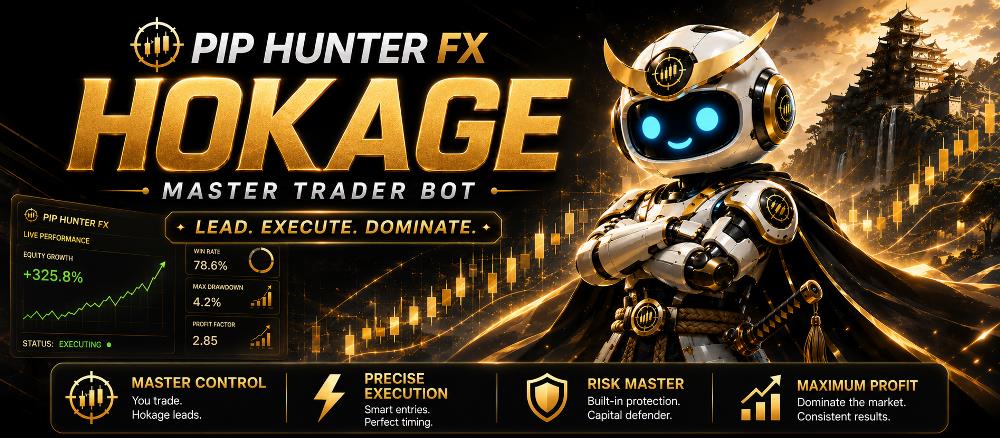
Pip Hunter FX Hokage is the proprietary Master Trading Expert Advisor behind the Pip Hunter FX automated trading system.
Designed for systematic Forex and Gold trading, Hokage continuously monitors the market, identifies qualified BUY and SELL opportunities, executes trades on the Pip Hunter FX master account, and automatically manages those positions according to predefined trading and risk-management rules.
Unlike a conventional commercial Expert Advisor, Pip Hunter FX Hokage is not distributed or sold to the public.
Instead, traders who want to follow trades generated by Hokage can use Pip Hunter FX Shinobi, our dedicated MT5 trade copier. Shinobi is installed on the user’s MetaTrader 5 account and copies authorized trades originating from the Pip Hunter FX master trading system.
In simple terms:
Hokage analyzes, executes and manages the master trades.
Shinobi copies those authorized trades to the user’s MT5 account.
What Is Pip Hunter FX Hokage?

Pip Hunter FX Hokage is an automated trading system developed to execute a structured and repeatable trading strategy without relying on manual entries.
The EA monitors the market for predefined trading conditions and determines whether a valid BUY or SELL setup exists.
Its trading decisions may consider a combination of proprietary Pip Hunter FX signals and technical conditions such as:
- Market direction and bias
- Momentum
- Pip Hunter FX signal confirmation
- Price location within the trading channel
- Candle direction
- Candle-close confirmation
- Existing BUY and SELL positions
- Current basket conditions
- Trade-management rules
When the required conditions are satisfied, Hokage can automatically execute and manage the appropriate trade.
If you are new to automated trading, you can first read our What Is an Expert Advisor in MetaTrader? A Beginner’s Guide to understand how Expert Advisors operate.
How Pip Hunter FX Hokage Executes BUY Trades
BUY and SELL execution is one of the core functions of the Pip Hunter FX Hokage trading system.
Hokage does not simply open a BUY trade because price has started moving upward.
The EA continuously evaluates the market and waits until the required BUY conditions of the active trading strategy have been satisfied.
Depending on the strategy being used, a BUY setup may consider conditions such as:
- Bullish Pip Hunter FX signal
- Bullish market bias
- Positive momentum confirmation
- Appropriate price position relative to the trading channel
- Bullish candle confirmation
- Candle-close confirmation
- Existing BUY basket status
Only after the required conditions are confirmed can Hokage execute a BUY position on the master trading account.
Additional BUY Entries
Hokage can also support multiple-entry or stacking strategies.
If a BUY trade is already open and another valid BUY opportunity appears, the EA may open an additional BUY position if its current trading rules and maximum-open-trade settings allow it.
These positions collectively become the BUY basket.
This means the system can respond to multiple qualified trading opportunities instead of being limited to one position at a time.
How Pip Hunter FX Hokage Executes SELL Trades
SELL trades are evaluated independently from BUY trades.
Hokage continuously monitors for bearish trading opportunities and waits for the required SELL conditions to be satisfied.
Depending on the selected strategy, a SELL setup may consider:
- Bearish Pip Hunter FX signal
- Bearish market bias
- Negative momentum confirmation
- Appropriate price position relative to the trading channel
- Bearish candle confirmation
- Candle-close confirmation
- Existing SELL basket status
Once the required bearish conditions are confirmed, Hokage can automatically execute a SELL position on the master trading account.
If additional valid SELL opportunities appear, the system can add positions to the existing SELL basket according to the active trading rules.
Independent BUY and SELL Basket Management
An important feature of Pip Hunter FX Hokage is the ability to manage BUY and SELL positions independently.
The system can maintain a:
BUY Basket
The BUY basket can contain one or multiple BUY trades and can be monitored using its own:
- Open positions
- Combined floating profit
- Profit objective
- Trade-management conditions
- Exit conditions
SELL Basket
The SELL basket operates separately and can contain:
- Open SELL positions
- Combined floating profit
- SELL basket objective
- Trade-management conditions
- Exit conditions
This independent structure allows Hokage to respond to trading opportunities on either side of the market according to the active strategy.
Multiple Trade and Stacking Capability
Pip Hunter FX Hokage is capable of managing more than one position.
When additional qualifying signals appear, the EA can add trades to the applicable BUY or SELL basket.
For example:
A BUY position is already open.
Another valid BUY signal develops.
If the strategy permits another entry and the maximum number of trades has not been reached, Hokage can execute an additional BUY position.
The same process can occur independently with SELL positions.
The maximum number of allowable positions can be controlled by the trading configuration.
Basket Profit Management
Instead of looking only at each trade individually, Hokage can monitor the combined profit of multiple positions in the same direction.
For example:
- BUY Trade 1: +$35
- BUY Trade 2: -$10
- BUY Trade 3: +$45
Combined BUY Basket Profit: +$70
The system can use the combined basket result when determining whether the applicable profit objective has been reached.
BUY and SELL baskets are calculated and managed separately.
This provides greater flexibility when several trades are open at the same time.
Basket Profit Protection
Hokage can also protect accumulated basket profit.
After the applicable profit condition is reached, the system can allow profitable positions to continue running while protecting part of the accumulated basket gain.
If the market subsequently reverses sufficiently, the basket can be closed according to the configured protection rules.
The objective is to allow favorable movements to develop while maintaining a mechanism for protecting profits that have already accumulated.
Automated Trade Management
Executing a position is only one part of the Pip Hunter FX system.
After a BUY or SELL trade has been opened, Hokage continues to monitor and manage the position.
Depending on the active configuration, its trade-management functions can include:
- Stop-loss management
- Fixed stop-loss protection
- Channel-based stop-loss management
- Breakeven
- Breakeven buffer
- Trailing stop
- Basket profit targets
- Basket profit protection
- Opposite-signal exits
- Strategy-specific closing conditions
This allows the system to manage the complete trade lifecycle—from entry to exit.
Market Bias and Momentum Confirmation
Pip Hunter FX Hokage can use market bias and momentum as additional confirmation before executing trades.
For example, BUY opportunities can require the market-bias condition to remain bullish while momentum supports the BUY direction.
SELL opportunities can similarly require bearish bias and appropriate momentum confirmation.
These filters provide additional layers of qualification before an order is executed.
Candle-Close Confirmation
Certain Pip Hunter FX strategies use candle-close confirmation.
Instead of reacting immediately to conditions that temporarily appear while a candle is still forming, Hokage can wait until the candle has closed before confirming a trading signal.
This can prevent temporary intrabar price movements from triggering trades when the required trading conditions do not remain valid at candle close.
Dynamic Trailing Stop Management
Hokage includes configurable trailing-stop functionality.
After a trade reaches the applicable profit threshold, the system can begin moving the stop-loss as price continues in the favorable direction.
This allows an open trade to continue participating in the market while progressively protecting accumulated floating profit.
Breakeven Protection
The EA can move the stop-loss toward the original trade entry after the required conditions are reached.
A configurable buffer may also be applied beyond the original entry price.
Breakeven management is intended to reduce the remaining exposure of a trade once price has already moved sufficiently in the desired direction.
Channel-Based Trade Management
The Pip Hunter FX trading channel can form part of both entry qualification and position management.
Depending on the active strategy, channel levels may be used for:
- BUY or SELL qualification
- Stop-loss positioning
- Breakeven activation
- Trade protection
- Exit conditions
This enables certain trade-management decisions to respond dynamically to changing market structure rather than relying entirely on fixed price distances.
Maximum Open Trades Control
Hokage can limit the maximum number of positions that are allowed to remain open.
This gives the trading system another method for controlling exposure when multiple qualifying trading opportunities appear.
Depending on the strategy configuration, the maximum-trade setting can also allow multiple entries when stacking is part of the intended trading approach.
Automated Trade Closing
Open trades are continuously monitored by Hokage.
Trades or baskets may be closed when predefined conditions are reached, including:
- Stop-loss
- Basket profit target
- Trailing stop
- Basket protection level
- Opposite Pip Hunter FX signal
- Strategy-specific exit condition
This reduces the need to manually monitor and close every position.
Pip Hunter FX Trading Dashboard
Hokage includes an on-chart dashboard designed to provide information about the trading system and current account activity.
Depending on the current EA version and configuration, the dashboard can display information related to:
- EA operating status
- BUY positions
- SELL positions
- Current basket status
- Trading profit
- Account information
- Trading activity
The dashboard allows the master trading environment to be monitored directly from the MetaTrader chart.
Pip Hunter FX Hokage Is Not Sold or Distributed
An important distinction must be made between Pip Hunter FX Hokage and ordinary commercial Expert Advisors.
Pip Hunter FX Hokage is proprietary software and is not sold, downloaded, licensed or distributed to users.
The EA remains within the controlled Pip Hunter FX master trading environment.
This allows the proprietary strategy logic and trading engine to remain protected while trades generated by the system can still be made available to authorized users.
Users therefore do not install Hokage on their personal trading accounts.
Instead, access to the trading system is provided through Pip Hunter FX Shinobi.
What Is Pip Hunter FX Shinobi?
Pip Hunter FX Shinobi is the dedicated trade-copying Expert Advisor used by authorized users of the Pip Hunter FX trading system.
Shinobi is installed on the user’s MetaTrader 5 platform.
Its purpose is not to generate independent Hokage trading signals.
Instead, Shinobi receives authorized trading instructions originating from the Pip Hunter FX Hokage master trading environment and replicates eligible trades on the connected MT5 account.
This means users can participate in trades generated by Hokage without receiving the proprietary Hokage EA itself.
How Pip Hunter FX Hokage and Shinobi Work Together
The system operates through a master-to-client architecture:
Pip Hunter FX Hokage
↓
Pip Hunter FX Signal Broadcaster
↓
Pip Hunter FX Shinobi
↓
User’s MetaTrader 5 Account
Here’s how the process works.
Step 1 – Hokage Monitors the Market
Hokage continuously evaluates market conditions and waits for a qualified BUY or SELL opportunity.
Step 2 – Hokage Executes the Master Trade
When all required trading conditions are satisfied, Hokage executes the trade on the master trading account.
Step 3 – The Trade Is Broadcast
The Pip Hunter FX Signal Broadcaster communicates the relevant authorized trading information from the master environment.
Step 4 – Shinobi Receives the Trade
The user’s Shinobi EA receives the applicable trading instruction and verifies that it belongs to the authorized Pip Hunter FX master source.
Step 5 – Shinobi Executes the Corresponding Trade
Shinobi opens the corresponding BUY or SELL position on the user’s MetaTrader 5 account according to the permitted copier settings.
Step 6 – Trade Management Continues
As the master trade is managed, applicable closing and trade-management instructions can also be synchronized through the copier environment.
This enables the client account to follow the master trading activity without requiring access to the proprietary Hokage software.
How BUY Trades Are Copied by Shinobi
When Pip Hunter FX Hokage executes an authorized BUY trade:
- Hokage opens the BUY trade on the master account.
- The trade information is transmitted through the Pip Hunter FX Signal Broadcaster.
- Shinobi identifies the authorized master source.
- Shinobi opens the corresponding BUY position on the user’s MT5 account.
- Applicable trade-management and closing instructions are subsequently followed by the copier.
If Hokage later executes another qualifying BUY trade, Shinobi can copy that additional trade subject to its configured trade limits.
How SELL Trades Are Copied by Shinobi
SELL copying follows the same architecture but operates independently from the BUY side.
When Hokage executes an authorized SELL trade:
- Hokage opens the SELL position on the master account.
- The trading information is broadcast.
- Shinobi validates the authorized master source.
- Shinobi executes the corresponding SELL trade on the user’s MT5 account.
- Applicable closing and management instructions can subsequently be synchronized.
This allows both BUY and SELL activity generated by Hokage to be followed by an authorized Shinobi installation.
Pip Hunter FX Master Code
The Master Code is a key component of the Pip Hunter FX copying architecture.
It identifies the master trading source that an authorized Shinobi installation is intended to follow.
The Master Code helps ensure that Shinobi receives eligible trading activity from the correct Pip Hunter FX master environment.
This is particularly important when multiple trading environments or strategies are operating simultaneously.
Hokage Generates the Trades – Shinobi Copies Them
The distinction between the two systems is straightforward:
Pip Hunter FX Hokage
Trading intelligence and master execution
Hokage:
- Analyzes the market
- Identifies trading setups
- Determines BUY and SELL entries
- Executes master trades
- Manages master positions
- Controls basket-management logic
- Determines exits
Pip Hunter FX Shinobi
Authorized client-side trade copier
Shinobi:
- Connects to the authorized Pip Hunter FX trading source
- Receives eligible trade instructions
- Copies BUY positions
- Copies SELL positions
- Handles multiple copied positions
- Follows applicable management instructions
- Closes copied positions when instructed
Shinobi does not independently decide when Hokage should BUY or SELL.
The original trading decision is generated and executed by Hokage.
Why Is Hokage Kept Private?
Keeping Pip Hunter FX Hokage within the master environment provides several benefits.
Proprietary Strategy Protection
The core Pip Hunter FX trading logic does not need to be distributed to individual users.
Centralized Strategy Management
Hokage can be maintained and updated from the master environment without requiring every user to install a new version of the proprietary trading engine.
Consistent Trading Logic
Authorized users can follow trades originating from the controlled master strategy instead of operating separate copies of the trading algorithm.
Simpler Client Setup
Users primarily need to install and configure Shinobi rather than configure the complete master trading system themselves.
Controlled System Development
Improvements to the underlying Hokage strategy can remain within the Pip Hunter FX master environment while maintaining the overall copier architecture.
Key Features of Pip Hunter FX Hokage
The Pip Hunter FX Hokage system includes capabilities such as:
- Automated BUY execution
- Automated SELL execution
- Independent BUY and SELL management
- Multiple-position trading
- Trade stacking
- Market-bias confirmation
- Momentum confirmation
- Pip Hunter FX signal confirmation
- Candle-close confirmation
- BUY and SELL basket management
- Basket-profit targets
- Basket profit protection
- Breakeven management
- Breakeven buffer
- Dynamic trailing stops
- Channel-based trade management
- Fixed stop-loss protection
- Maximum-open-trade controls
- Automated exit management
- On-chart trading dashboard
- Master Code integration
- Pip Hunter FX Signal Broadcaster integration
- Pip Hunter FX Shinobi compatibility
Key Features of Pip Hunter FX Shinobi
Pip Hunter FX Shinobi provides the client-side connection to the master trading system.
Its functions include:
- Automatic BUY trade copying
- Automatic SELL trade copying
- Authorized Master Code identification
- MetaTrader 5 trade execution
- Multiple-position copying
- Independent BUY and SELL trade handling
- Trade-closing synchronization
- Applicable trade-management synchronization
- Maximum-open-trade control
- On-chart status information
- Connection to the Pip Hunter FX master trading environment
Specific functionality may vary according to the current Shinobi release and service configuration.
How to Access Pip Hunter FX
Because Hokage itself is not sold or distributed, Pip Hunter FX access differs from buying a conventional downloadable EA.
The general process is:
- Obtain authorized access to the Pip Hunter FX trading service.
- Receive the applicable Pip Hunter FX Shinobi EA and authorization information.
- Install Shinobi on the supported MetaTrader 5 terminal.
- Configure the appropriate Master Code.
- Connect Shinobi to the authorized Pip Hunter FX master trading source.
- Keep the MetaTrader environment running according to the required setup.
- Eligible BUY and SELL trades generated by Hokage can then be copied to the user’s MT5 account.
A dedicated Pip Hunter FX Shinobi Installation Guide will provide the complete step-by-step process.
For users unfamiliar with installing Expert Advisors, our existing How to Install an Expert Advisor in MetaTrader 5 guide also explains the standard MT5 EA installation process.
Pip Hunter FX Performance Reports
Performance should not be judged from one winning trade, one trading day, or isolated screenshots.
For this reason, Pinoy Pip Hunter will provide regular performance information for the Pip Hunter FX trading system.
Performance reporting can include:
- Daily trading results
- Weekly profit reports
- Monthly performance reports
- Starting and ending account balance
- Net profit or loss
- Percentage return
- Number of trades
- BUY and SELL trading activity
- Drawdown
- Account-growth statistics
- Relevant trading statements and screenshots
- Historical performance comparisons
These reports are intended to provide a more transparent view of how the Pip Hunter FX system performs over time.
Backtesting and Historical Performance
Historical testing can be useful when developing and evaluating automated trading strategies, but backtesting should never be considered a guarantee of future profitability.
Our How to Backtest an Expert Advisor in MetaTrader 5 guide explains how historical EA testing works, including important metrics such as drawdown, profit factor, trade count and equity behavior.
For Pip Hunter FX itself, greater emphasis will also be placed on documented forward and live trading performance as actual trading history develops.
Upcoming Pip Hunter FX Guides
The Pip Hunter FX section of Pinoy Pip Hunter will include dedicated guides covering:
- Pip Hunter FX Shinobi installation
- Shinobi activation and authorization
- How to configure the Master Code
- How BUY trades are copied
- How SELL trades are copied
- Understanding the Shinobi dashboard
- Managing Shinobi
- Recommended MetaTrader 5 setup
- VPS setup
- Account requirements
- Trade and risk-management settings
- Troubleshooting
- Daily Pip Hunter FX results
- Weekly performance reports
- Monthly performance reports
- How to obtain access to Pip Hunter FX
- Frequently asked questions
Frequently Asked Questions
Can I Buy Pip Hunter FX Hokage EA?
No. Pip Hunter FX Hokage is not sold or distributed to users.
It is the proprietary master trading engine operated within the Pip Hunter FX environment.
Authorized users can instead follow eligible Hokage trades through Pip Hunter FX Shinobi.
What Is Pip Hunter FX Shinobi?
Pip Hunter FX Shinobi is an MT5 trade-copying Expert Advisor designed to receive and execute authorized trades originating from the Pip Hunter FX Hokage master system.
Does Shinobi Generate Its Own BUY and SELL Signals?
No.
The original BUY or SELL trading decision is made by Pip Hunter FX Hokage. Shinobi’s role is to receive and replicate authorized trades on the user’s MetaTrader 5 account.
Does Hokage Execute Both BUY and SELL Trades?
Yes.
Hokage can independently identify, execute and manage qualifying BUY and SELL opportunities according to the active Pip Hunter FX strategy.
Can Hokage Have Multiple Trades Open?
Yes.
The system can support multiple positions and trade stacking when permitted by the strategy and maximum-trade configuration.
Can BUY and SELL Trades Be Open at the Same Time?
The system is designed to manage BUY and SELL trading activity independently according to its active trading rules.
Do I Need to Install Hokage?
No.
Users following the Pip Hunter FX trading service do not install Hokage. They install the applicable Pip Hunter FX Shinobi copier on their supported MetaTrader 5 account.
Do I Need to Keep MetaTrader 5 Running?
The Shinobi environment needs to remain operational for the copier to receive and execute trading instructions. A properly configured VPS can therefore be useful for maintaining continuous MetaTrader operation.
Are Profits Guaranteed?
No.
Neither automated trading nor trade copying can guarantee profits. Financial markets involve risk, and trading performance can vary considerably over time.
Learn More About Automated Trading
If you are new to Expert Advisors or algorithmic trading, the following Pinoy Pip Hunter guides provide useful background information:
- What Is Algorithmic Trading? A Beginner’s Guide
- What Is an Expert Advisor in MetaTrader? A Beginner’s Guide
- How to Install an Expert Advisor in MetaTrader 5
- How to Backtest an Expert Advisor in MetaTrader 5
These resources explain the foundations of automated trading before you explore the Pip Hunter FX system in greater detail.
Important Risk Disclosure
Forex, Gold, CFDs, cryptocurrencies and other leveraged financial products involve substantial financial risk.
Pip Hunter FX Hokage and Pip Hunter FX Shinobi do not guarantee profits or eliminate the possibility of trading losses.
Results on a Shinobi client account may also differ from the master trading account because of factors including:
- Broker pricing
- Bid/ask spread
- Slippage
- Order-execution speed
- Internet latency
- VPS latency
- Account balance
- Lot size
- Leverage
- Broker conditions
- Symbol specifications
- Platform connectivity
Historical, backtested, simulated or previously achieved trading results do not guarantee future performance.
Users should understand the risks associated with leveraged financial trading and use appropriate risk-management practices before trading with real funds.



Be the first to comment