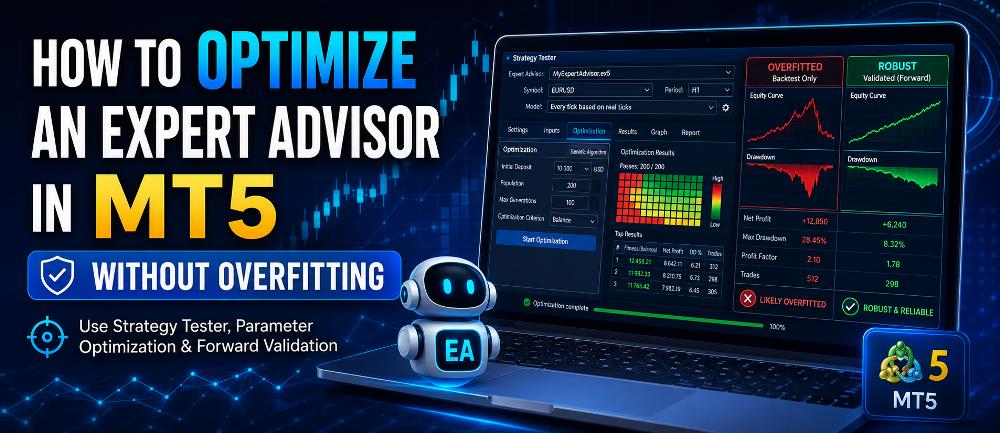
Finding an Expert Advisor that performs well in a historical backtest is only the beginning of the evaluation process.
Most EAs contain adjustable inputs such as stop-loss distance, take-profit levels, indicator periods, trading hours, trailing-stop settings, or risk parameters. MetaTrader 5 allows you to test many combinations of these settings automatically through its built-in Strategy Tester.
This process is called optimization.
Optimization can help identify parameter ranges that performed reasonably well in historical market conditions. However, optimization also creates one of the biggest dangers in automated trading: overfitting.
An overfitted Expert Advisor can produce an impressive historical equity curve while failing badly when exposed to different market data.
The objective of EA optimization should therefore not be to discover the single parameter combination with the highest historical profit.
Instead, the goal should be to identify robust settings that perform reasonably across different market conditions without depending on one perfect historical configuration.
If you have not yet completed a basic historical test, start with our How to Backtest an Expert Advisor in MT5: Step-by-Step Guide before beginning optimization.
In this guide, you will learn how to optimize an Expert Advisor in MT5, choose sensible parameter ranges, analyze optimization results, use forward validation, and reduce the risk of curve fitting.
What Is Expert Advisor Optimization?
Expert Advisor optimization is the process of testing multiple combinations of an EA’s adjustable parameters against historical market data.
Suppose an EA has the following inputs:
- Stop Loss: 100–500 points
- Take Profit: 100–800 points
- Moving Average Period: 10–100
- Trailing Stop: 50–300 points
- Trading Start Hour: 1–12
Testing every possible combination manually could require hundreds or thousands of individual backtests.
MetaTrader 5 automates this process.
During a normal backtest, the EA runs once using one fixed set of parameters.
During optimization, MT5 repeatedly runs the EA using different parameter combinations.
According to the official MetaTrader 5 Strategy Optimization documentation, optimization involves multiple historical runs of an Expert Advisor using different input settings to evaluate different parameter combinations.
This can save considerable time.
But it also creates a problem.
The more combinations you test, the easier it becomes to accidentally discover settings that match historical noise rather than a genuine trading advantage.
That is where overfitting becomes important.
What Is Overfitting in EA Optimization?
Overfitting occurs when a trading strategy becomes excessively adapted to a particular historical dataset.
The EA may look excellent when tested on the exact historical data used during optimization but perform poorly when exposed to different data or changing market conditions.
Imagine testing thousands of parameter combinations.
Eventually, some combinations may produce exceptional results simply because they happened to match specific historical price movements.
You might see:
- Extremely high historical profit
- Very high win rate
- Very low historical drawdown
- Almost perfect equity growth
- Very few losing periods
Those numbers may look attractive.
But the settings could be capturing historical coincidences rather than a durable trading pattern.
Once the EA encounters new market conditions, performance may deteriorate.
This is why optimization should never be treated simply as a search for the most profitable backtest.
If you are still learning what an EA actually does inside MetaTrader, our What Is an Expert Advisor in MetaTrader? Beginner’s Guide provides the foundation before moving into more advanced testing.
Optimization vs Backtesting
Backtesting and optimization are related, but they answer different questions.
Backtesting
A normal backtest asks:
How did this specific EA configuration perform historically?
You select one set of parameters and run the strategy against historical market data.
Optimization
Optimization asks:
How did many different EA configurations perform historically?
MetaTrader automatically changes the selected inputs and compares the resulting tests.
A logical EA development workflow can therefore look like this:
- Understand the trading strategy.
- Run a baseline backtest.
- Identify parameters worth studying.
- Optimize selected parameters.
- Analyze parameter stability.
- Validate promising settings on separate data.
- Forward-test the EA under current market conditions.
MetaTrader’s official Strategy Tester documentation explains that the platform can be used for both historical strategy testing and optimization before an EA is considered for live trading.
How to Optimize an Expert Advisor in MT5 Step by Step
Step 1: Establish a Baseline Backtest
Do not begin optimization without first performing a normal backtest.
You need a baseline against which later results can be compared.
Record important statistics such as:
- Net profit
- Maximum drawdown
- Profit factor
- Number of trades
- Win rate
- Average winning trade
- Average losing trade
- Recovery factor
- Expected payoff
- Consecutive losses
Also inspect the equity curve.
Without a baseline, optimization can become little more than a search for better-looking numbers.
If necessary, follow our complete MT5 Expert Advisor backtesting tutorial first.
Step 2: Open the MetaTrader 5 Strategy Tester
Open MetaTrader 5.
Then select:
View → Strategy Tester
You can also normally use:
Ctrl + R
Choose the Expert Advisor you want to optimize.
Then configure the basic testing environment:
- Symbol
- Timeframe
- Historical date range
- Initial deposit
- Leverage
- Tick-generation method
- Execution conditions
Try to make these conditions reasonably representative of how the EA is intended to operate.
For example, if a strategy was designed for XAUUSD on M15, optimizing it using EURUSD on H1 would represent a different trading environment.
The official MetaTrader Strategy Optimization guide explains that the Strategy Tester allows you to specify the symbol, period, date range, execution conditions, tick model, deposit, leverage, and optimization parameters.
Step 3: Use Sufficient Historical Data
Optimization based on a very short historical period can produce misleading results.
For example, optimizing a trend-following strategy using only one strong trending month could produce settings that fail when the market becomes sideways.
Try to include different market environments, such as:
- Trending markets
- Sideways markets
- High-volatility periods
- Low-volatility periods
- Major news periods
- Bullish phases
- Bearish phases
The goal is not simply to maximize the amount of historical data.
The objective is to expose the EA to enough variation that fragile parameter combinations become easier to identify.
Step 4: Choose an Appropriate Tick Model
Testing quality matters.
MetaTrader 5 provides several Strategy Tester tick-generation methods.
These include:
- Every tick
- Every tick based on real ticks
- 1 minute OHLC
- Open prices only
- Mathematical calculations
MetaTrader states that Every tick based on real ticks uses historical ticks accumulated by brokers and does not simulate those available tick movements, making it particularly useful when a strategy is sensitive to intrabar price behavior.
You can review the technical differences in the official MetaTrader 5 Strategy Testing documentation.
Detailed tick testing can be particularly relevant for:
- Scalping EAs
- Tight stop-loss systems
- Small take-profit strategies
- Trailing-stop systems
- Tick-sensitive entry logic
Faster testing modes can still be useful during preliminary experiments.
However, promising configurations should eventually be evaluated using a sufficiently realistic testing model.
Step 5: Decide Which Parameters Should Be Optimized
Do not automatically optimize every available EA input.
Some settings are operational rather than strategic.
For example:
- Magic number
- Comment text
- Dashboard position
- Display settings
- Notification settings
These normally do not need optimization.
Instead, concentrate on parameters that genuinely influence the trading logic.
Possible examples include:
- Stop-loss distance
- Take-profit distance
- Trailing-stop activation
- Trailing-stop distance
- Moving-average period
- Momentum threshold
- Entry filters
- Trading hours
- Maximum spread
- Break-even trigger
The fewer meaningful parameters you optimize, the easier the results are to interpret.
Step 6: Use Sensible Optimization Ranges
Suppose your EA uses a stop loss.
Technically, you might be able to optimize values from:
1 to 10,000 points
But this range could generate enormous numbers of combinations, including many settings that make little strategic sense.
A more reasonable example might be:
- Start: 200
- Step: 50
- Stop: 800
MetaTrader allows each optimized input to be configured with a start value, step and stop value.
The platform will then test combinations derived from the selected parameter ranges.
Optimization should refine a trading hypothesis—not replace one.
Step 7: Avoid Extremely Small Parameter Steps
Another common optimization mistake is using unnecessarily small parameter increments.
Suppose you optimize a moving-average period around a very narrow range.
Eventually, you may discover that one specific value performs slightly better than everything around it.
That does not necessarily mean that exact number contains useful predictive information.
It could simply reflect historical noise.
A potentially stronger result might look like this:
- Parameter 35 — reasonable
- Parameter 40 — good
- Parameter 45 — good
- Parameter 50 — reasonable
This creates a stable parameter region.
Compare that with:
- Parameter 39 — poor
- Parameter 40 — exceptional
- Parameter 41 — poor
The second result may deserve greater skepticism because performance depends heavily on one exact value.
Complete Optimization vs Genetic Optimization
MetaTrader 5 provides multiple optimization methods.
Slow Complete Algorithm
The Slow Complete Algorithm tests all possible combinations of the selected optimization parameters.
MetaTrader defines it as testing every possible combination within the configured parameter ranges.
This can be thorough, but the number of tests can increase very quickly.
For example:
10 Stop Loss values
× 10 Take Profit values
× 10 indicator values
× 10 trailing-stop values
equals:
10,000 parameter combinations
Adding more variables increases the workload exponentially.
Fast Genetic Algorithm
MetaTrader 5 also provides a Fast Genetic Algorithm.
Rather than exhaustively calculating every possible combination, genetic optimization searches for promising parameter regions more efficiently.
This can be useful when the theoretical number of parameter combinations becomes extremely large.
A practical workflow might be:
- Use genetic optimization to explore a broad parameter range.
- Identify potentially promising regions.
- Narrow the parameter ranges.
- Perform more detailed testing.
- Validate the selected configurations.
Neither method eliminates the risk of overfitting.
The quality of the testing process remains more important than the optimization algorithm itself.
Choosing an Optimization Criterion
MetaTrader 5 allows optimization results to be assessed using an optimization criterion.
The selected criterion determines how parameter combinations are ranked during genetic optimization.
Do not judge a configuration exclusively by historical net profit.
Consider the relationship between return and risk.
For example:
Configuration A
Net profit: $10,000
Maximum drawdown: 70%
Configuration B
Net profit: $6,000
Maximum drawdown: 15%
Configuration A made more historical profit.
However, Configuration B may represent a substantially different and potentially more manageable risk profile.
Profit should therefore be evaluated together with drawdown.
For a detailed explanation of this important risk metric, read our What Is Drawdown in Forex Trading? Beginner’s Guide.
Do Not Automatically Pick the Most Profitable Result
This is one of the most important principles of EA optimization.
After optimization finishes, MT5 may display hundreds or thousands of parameter combinations.
It is tempting to sort the table by profit and select the highest result.
Avoid doing this automatically.
Instead, look for groups of settings that produce reasonably good results.
For example:
| Stop Loss | Take Profit | Historical Behavior |
|---|---|---|
| 300 | 500 | Good |
| 350 | 500 | Good |
| 400 | 500 | Good |
| 350 | 550 | Good |
| 400 | 550 | Good |
This type of cluster can be more interesting than one isolated combination such as:
Stop Loss 347 / Take Profit 613
that dramatically outperforms every neighboring configuration.
A strategy that tolerates moderate parameter changes may be more robust than one that requires one exact historical setting.
Look for Parameter Stability
Think of optimization results as a landscape.
Ideally, you want to discover a broad hill rather than a single narrow spike.
Consider this example.
More Stable
Parameter 40 → Profit Factor 1.40
Parameter 45 → Profit Factor 1.47
Parameter 50 → Profit Factor 1.51
Parameter 55 → Profit Factor 1.45
Parameter 60 → Profit Factor 1.39
Potentially Fragile
Parameter 40 → Profit Factor 0.95
Parameter 45 → Profit Factor 1.02
Parameter 50 → Profit Factor 2.80
Parameter 55 → Profit Factor 1.01
Parameter 60 → Profit Factor 0.92
The second example deserves more investigation.
The strategy appears highly dependent on one precise historical parameter.
Use MT5 Forward Optimization to Reduce Overfitting
One of MetaTrader 5’s most useful optimization features is Forward testing.
This is different from running an EA in real time on a demo account.
Inside the Strategy Tester, MetaTrader can divide the selected historical period into two parts.
The first part is used for optimization.
The second part is reserved for validation.
MetaTrader specifically describes the Forward option as a method of verifying optimization results on a separate historical period to help avoid overfitting.
You can study the complete process in the official MetaTrader Strategy Optimization and Forward Testing documentation.
The available Forward divisions include options such as:
- 1/2
- 1/3
- 1/4
- Custom period
MetaTrader first optimizes the EA using the earlier portion of the selected data.
Selected high-ranking runs are then tested on the later forward period so that the optimization and forward results can be compared.
This is a practical form of out-of-sample validation.
Why Out-of-Sample Testing Matters
Imagine optimizing an EA using historical data from 2021 through 2024.
You discover a parameter configuration producing excellent results.
But those settings were selected specifically because they performed well during that dataset.
Now suppose you apply the same settings to a separate historical period that was not used to choose them.
If performance collapses completely, the settings may have been fitted too closely to the original period.
If behavior remains reasonably consistent, confidence in the robustness of the configuration may improve.
The results do not need to be identical.
Different market periods naturally produce different trades.
You are looking for reasonable persistence, not exact duplication.
In-Sample vs Out-of-Sample Data
Understanding these two concepts is essential when trying to avoid overfitting.
In-Sample Data
This is the historical data used to optimize the strategy.
The optimization algorithm effectively sees this information while searching for suitable parameter combinations.
Out-of-Sample Data
This is historical information deliberately excluded from the optimization process.
It is used afterward to evaluate how the selected settings behave on data they were not optimized against.
A stronger optimization process generally preserves some independent data for validation.
Avoid Re-Optimizing After Every Poor Result
Suppose you optimize an EA.
You then test the settings on an out-of-sample period.
The results are poor.
You return to the optimization, modify the parameters until that second period also becomes profitable, and test again.
You have now effectively optimized against both datasets.
The original out-of-sample period is no longer truly unseen.
Repeating this process can gradually produce a strategy that looks excellent across the historical periods you have repeatedly examined while becoming increasingly fitted to the past.
At some point, the strategy needs to face data it was not designed around.
Test Across Different Market Periods
A parameter set that performs well during only one market regime may not be robust.
Consider testing periods representing conditions such as:
- Strong trends
- Sideways markets
- High volatility
- Low volatility
- Crisis periods
- Normal market conditions
You can also analyze different calendar years separately.
The question is:
Does this EA require one very specific historical environment to perform?
If so, the strategy may become vulnerable when that environment changes.
Watch the Number of Trades
Optimization results based on very few trades can be misleading.
Suppose a parameter combination generates:
- 5 trades
- 5 winners
- 100% win rate
- Very high profit factor
Those results may look excellent.
But five trades provide relatively little information about long-term behavior.
Compare that with another configuration generating:
- 350 trades
- 58% win rate
- Reasonable average profit
- Controlled drawdown
- Consistent behavior across different periods
The second test provides far more observations.
Always consider sample size when interpreting optimization results.
Avoid Optimizing Too Many Parameters at Once
The more variables you optimize, the greater the opportunity to fit historical noise.
Imagine optimizing:
- Entry period
- Exit period
- Stop loss
- Take profit
- Trailing stop
- Break-even trigger
- Session start
- Session end
- Spread filter
- Volatility filter
- Trend filter
- Momentum filter
The number of potential combinations can become enormous.
Eventually, the tester may find something historically impressive.
But that does not automatically make the configuration robust.
Concentrate on variables that have a logical relationship with the trading strategy.
Never Confuse Lot Size Optimization With Strategy Improvement
Position size deserves special caution.
Suppose you compare:
- 0.01 lot
- 0.10 lot
- 0.50 lot
- 1.00 lot
- 5.00 lots
If the underlying historical strategy is profitable, larger positions naturally produce larger monetary profits.
That does not mean the larger lot size improved the trading strategy.
It simply increased exposure.
Risk sizing should therefore be evaluated separately from whether the strategy itself appears to have an edge.
A larger position multiplies both gains and losses.
Review Drawdown During Optimization
Do not allow profit to hide risk.
Look closely at:
- Balance drawdown
- Equity drawdown
- Maximum drawdown
- Consecutive losses
- Recovery duration
- Margin usage
This is especially important for:
- Grid systems
- Martingale strategies
- Averaging systems
- Strategies holding multiple positions
- High-leverage systems
Our Forex drawdown guide explains why drawdown should be examined alongside profit when evaluating automated trading systems.
Use Realistic Trading Conditions
Optimization is only as useful as the assumptions used in the test.
Consider factors such as:
- Spread
- Commission
- Execution delay
- Leverage
- Deposit size
- Contract specifications
- Symbol specifications
- Margin settings
MetaTrader 5 provides advanced testing settings for simulating account parameters, commissions, trading restrictions and execution conditions.
It can also emulate execution delays to help investigate how trade-processing speed may affect results.
A strategy optimized under unrealistically favorable assumptions may behave very differently once those assumptions change.
Save Your Parameter Sets
Once you identify promising configurations, save them.
MetaTrader 5 allows Strategy Tester inputs to be saved as parameter-set files and reused later.
Use meaningful names.
For example:
XAUUSD_M15_Test_A.set
rather than:
settings1.set
Record:
- EA version
- Symbol
- Timeframe
- Historical period
- Optimization date
- Parameter set
- Broker
- Testing model
Good record keeping becomes increasingly important when you conduct multiple optimization experiments.
Retest the Selected Configuration as a Normal Backtest
Once you identify a promising configuration, run it again as a normal single backtest.
Examine the complete report.
Review:
- Equity curve
- Individual trades
- Trade timing
- Maximum drawdown
- Consecutive losses
- Average holding time
- Buy performance
- Sell performance
Optimization tables are useful for screening parameter combinations.
A detailed individual backtest is still important for understanding how the selected configuration actually behaves.
Forward-Test the Optimized EA on a Demo Account
Historical forward validation should not necessarily be the final stage.
After selecting a robust-looking configuration, consider running the EA on a demo account under current market conditions.
This can help expose operational factors such as:
- Current spread
- Broker execution
- Signal timing
- Symbol specifications
- Platform stability
- Connection interruptions
- EA initialization
Remember that Strategy Tester Forward testing and real-time demo forward testing are different processes.
Strategy Tester Forward testing uses a separate historical dataset.
Demo forward testing observes the EA as current market prices arrive.
Both can provide useful information.
If you are building a complete automated-trading workflow, our Algorithmic Trading for Beginners: Complete Beginner’s Guide also explains why backtesting, demo testing and risk analysis should be treated as separate stages.
A Robust EA Optimization Workflow
A disciplined workflow might look like this:
- Understand the EA’s trading logic.
- Run a baseline historical backtest.
- Record baseline performance.
- Select only meaningful parameters for optimization.
- Choose logical parameter ranges.
- Avoid excessively small parameter steps.
- Use sufficient historical data.
- Run complete or genetic optimization.
- Examine profitability and risk together.
- Look for stable parameter regions.
- Reject suspicious isolated performance spikes.
- Validate promising configurations using out-of-sample data.
- Run a detailed single backtest.
- Test additional market periods.
- Forward-test the configuration on a demo account.
- Continue monitoring performance if the system is eventually deployed.
This process cannot eliminate trading risk.
However, it provides a more disciplined framework than simply choosing whichever optimization pass generated the largest historical profit.
Common EA Optimization Mistakes
Optimizing for Maximum Profit Only
High historical profit does not automatically mean a strong trading strategy.
Evaluate drawdown, consistency and parameter stability.
Testing Too Many Inputs
More optimized variables create more opportunities for curve fitting.
Using Extremely Narrow Parameter Steps
Tiny differences can capture historical noise rather than meaningful strategy behavior.
Using Too Little Historical Data
Short periods may represent only one type of market environment.
Ignoring Neighboring Parameter Values
Look for stable parameter regions rather than isolated winners.
Ignoring Out-of-Sample Performance
Settings that collapse on unseen data deserve investigation.
Re-Optimizing Every Time Validation Fails
Doing this repeatedly contaminates the independence of your validation dataset.
Ignoring Trading Costs
Spread, commission and execution assumptions can materially change results.
Selecting the Largest Lot Size
Position sizing changes risk exposure, not the underlying quality of the trading strategy.
Assuming Optimization Guarantees Profitability
It does not.
Optimization analyzes historical behavior.
Future market conditions remain unknown.
MT4 vs MT5 for EA Optimization
Both MetaTrader platforms support Expert Advisors and automated trading.
However, MetaTrader 5 provides a more advanced testing architecture for modern EA development and optimization.
MT5 provides capabilities including:
- Multi-threaded testing
- Complete optimization
- Genetic optimization
- Historical forward validation
- Multi-currency testing
- Remote testing agents
- MQL5 Cloud Network support
- Real-tick testing
MetaTrader’s Strategy Tester can distribute optimization work across multiple computing agents and can also access the MQL5 Cloud Network for additional processing resources.
If you are deciding which platform better suits your automated-trading workflow, read our detailed comparison:
MetaTrader 4 vs MetaTrader 5 for Automated Trading: Which Is Better?
Frequently Asked Questions
What does optimizing an EA mean?
Optimizing an Expert Advisor means testing different combinations of its adjustable inputs against historical data to compare their performance.
How do I optimize an Expert Advisor in MT5?
Open Strategy Tester, select the EA and testing environment, choose the parameters you want to optimize, configure their Start, Step and Stop values, select an optimization method and run the optimization.
The official MetaTrader Strategy Optimization documentation provides the full technical reference.
What is the best optimization method in MT5?
There is no single best method for every situation.
The Slow Complete Algorithm evaluates all selected parameter combinations, while the Fast Genetic Algorithm searches the parameter space more efficiently.
What is overfitting in Forex trading?
Overfitting occurs when a strategy becomes excessively adapted to historical data and fails to perform similarly when exposed to different data or future market conditions.
How can I reduce EA overfitting?
Useful practices include:
- Limiting the number of optimized variables
- Using meaningful parameter ranges
- Looking for stable parameter regions
- Testing different historical conditions
- Preserving out-of-sample data
- Using MT5 Forward testing
- Performing real-time demo testing
- Avoiding repeated re-optimization
Should I choose the optimization result with the highest profit?
Not automatically.
Profit should be considered together with drawdown, number of trades, consistency, neighboring parameter results and out-of-sample performance.
What is genetic optimization in MT5?
Genetic optimization is MetaTrader 5’s faster optimization method for searching promising parameter combinations without testing every theoretical combination.
What is MT5 Forward optimization?
MT5 Forward optimization reserves part of the selected historical period for checking promising optimization results against data that was not used during the primary optimization process.
Does EA optimization guarantee future profits?
No.
Optimization evaluates historical performance and cannot guarantee how an EA will perform in future market conditions.
Final Thoughts
Learning how to optimize an Expert Advisor in MT5 can help you understand how different EA settings affect historical performance.
But optimization should be approached carefully.
The objective is not to create the most impressive historical equity curve.
Instead, determine whether the strategy behaves reasonably across a range of parameters, historical periods and market conditions.
A strong optimization process should emphasize:
- Logical parameter selection
- Realistic test settings
- Adequate historical data
- Drawdown control
- Parameter stability
- Out-of-sample validation
- Forward testing
Be particularly cautious when one highly specific parameter combination produces dramatically better results than everything around it.
That may indicate curve fitting rather than robustness.
MetaTrader 5 provides powerful Strategy Tester and optimization tools, but those tools are analytical instruments—not guarantees of profitability.
For MetaTrader’s technical explanation of these features, see the official MetaTrader 5 Strategy Optimization guide.
For more Pinoy Pip Hunter learning resources, continue with our Algorithmic Trading for Beginners guide or compare MetaTrader 4 and MetaTrader 5 for automated trading.
Used properly, optimization can help you better understand an automated trading strategy and identify configurations that deserve further testing.



Be the first to comment